<?xml version="1.0" encoding="utf-8"?>
<feed xmlns="http://www.w3.org/2005/Atom" xmlns:media="http://search.yahoo.com/mrss/">
    <title>Simple Site Steps</title>
    <link href="https://simplesitesteps.com/feed.xml" rel="self" />
    <link href="https://simplesitesteps.com" />
    <updated>2026-09-01T20:25:00+05:30</updated>
    <author>
        <name>Simple Site Steps</name>
    </author>
    <id>https://simplesitesteps.com</id>

    <entry>
        <title>Why Life Coaches Need a Premium Website in 2026 (To Book Better Clients)</title>
        <author>
            <name>Simple Site Steps</name>
        </author>
        <link href="https://simplesitesteps.com/why-life-coaches-need-premium-website/"/>
        <id>https://simplesitesteps.com/why-life-coaches-need-premium-website/</id>
            <category term="Blog"/>

        <updated>2026-08-31T23:47:27+05:30</updated>
            <summary type="html">
                <![CDATA[
                    Why Life Coaches Need a Premium Website in 2026 Disclosure: As a web designer, I recommend tools and platforms I&hellip;
                ]]>
            </summary>
        <content type="html">
            <![CDATA[
                
    <h2 id="why-life-coaches-need-a-premium-website-in-2026">
      Why Life Coaches Need a Premium Website in 2026
    </h2>

  <p>
    Disclosure: As a web designer, I recommend tools and platforms I use daily. Some of the links in this article may be affiliate links. If you purchase through them, my studio may earn a small commission at no extra cost to you.
  </p>

  <p>
    Imagine this scenario: You just got off a fantastic discovery call with a potential coaching client. The energy was great. They were nodding along as you explained your coaching methods. They seem completely ready to change their life and invest in your program.
<br>Before you hang up, you tell them, “I’ll send over the link to my website so you can look at my packages and officially book your spot!”
<br>You email them the link. You close your laptop feeling amazing. And then… crickets.
<br>A day goes by. Then three days. You send a polite follow-up email, but you never hear from them again.
<br>What happened? Did they suddenly decide they didn’t want to change their life? Did they find another coach?
<br>As a web designer who works specifically with creators, coaches, and freelancers, I see this happen every single day. Most of the time, the coach didn't do anything wrong on the call. The problem happened the exact second the client clicked the link to their website.
<br>In 2026, the coaching industry is incredibly crowded. If you want to stand out, command high-ticket prices, and build deep trust with your audience, a basic, messy, DIY website simply will not work anymore. Here is the honest truth about why life coaches need a premium website, and how you can get one without spending a fortune.
  </p>

    <h4 id="the-problem-the-social-media-illusion">
      The Problem: The Social Media Illusion
    </h4>

  <p>
    A lot of new coaches fall into a very common trap. They spend five hours a day creating short-form videos for TikTok, Instagram Reels, and Threads. They build a decent following, get plenty of likes, and assume that social media is all they need to run a business.
<br>They use a free, generic link-in-bio app, list their prices on a plain text page, and hope for the best.
<br>Here is the hard truth about 2026: Social media is great for getting attention, but it is terrible for building deep, financial trust.
<br>When people scroll through social media, their brains are in "entertainment mode." They are swiping fast. But when someone is deciding whether or not to hand you $1,500 or $5,000 to help them fix their life, business, or relationships, their brain shifts into "evaluation mode."
<br>They want to know if you are a real, established professional. And the only way they can verify that is by leaving social media and looking at your digital home base—your website.
  </p>

    <h4 id="the-agitation-the-high-ticket-disconnect">
      The Agitation: The High-Ticket Disconnect
    </h4>

  <p>
    Think about the psychology of buying.
<br>If you walk into a high-end luxury store to buy a designer watch, you expect the floors to be clean, the lighting to be perfect, and the display cases to be spotless. If you walked into that same luxury store and saw flickering lights, messy shelves, and a handwritten cardboard sign showing the prices, you would immediately turn around and walk out. Your brain would tell you something feels sketchy.
<br>The exact same psychology applies to your coaching business.
<br>If you are asking a client to pay you premium rates, but your website looks like a school project from 2015, you create a massive disconnect in their brain.
<br>When your website has clashing colors, text that is too small to read on a mobile phone, and confusing navigation menus, it subconsciously tells the client that your business is unorganized. And if your business looks unorganized, they will naturally assume your coaching methods are unorganized, too.
<br>Furthermore, we are living in the age of Artificial Intelligence. In 2026, anyone can use a chatbot to write a fake coaching program and use AI image generators to make fake profile pictures. Consumers are highly skeptical. To win their trust, you have to prove that you are a real human being who cares deeply about the details. A premium, thoughtfully designed website is the fastest way to prove you are a legitimate professional.
  </p>

    <h4 id="the-solution-what-makes-a-website-premium">
      The Solution: What Makes a Website "Premium"?
    </h4>

  <p>
    So, what exactly separates a cheap, amateur website from a premium, high-converting agency site?
<br>As someone who designs these sites for a living, I can tell you it has very little to do with fancy animations or complicated code. A premium website is all about structure, psychology, and ease of use.
<br>Here are the four design rules I use when building websites for high-end consultants and life coaches.
  </p>

    <h5 id="1-intentional-white-space">
      1. Intentional White Space
    </h5>

  <p>
    Beginners often try to cram as much information onto the screen as possible. They put massive paragraphs right next to busy photos. This overwhelms the human eye.
<br>In premium web design, empty space (often called "white space" or "negative space") is your best friend. When you give your text room to breathe, it instantly calms the reader's nervous system. It makes the page feel peaceful, intentional, and luxurious. For a life coach or wellness consultant, a calm website perfectly matches the calm, organized feeling you want to give your clients.
  </p>

    <h5 id="2-flawless-mobile-responsiveness">
      2. Flawless Mobile Responsiveness
    </h5>

  <p>
    I check the analytics of hundreds of websites every month, and the data never changes: Over 80% of your potential clients will open your website on their smartphones.
<br>If your website only looks good on a laptop, you are losing money. A premium website must scale perfectly to a mobile screen. The text needs to be large enough to read without zooming in, the buttons need to be wide enough for a thumb to easily tap, and the images need to stack neatly on top of each other. If your client has to scroll sideways just to read your pricing, they will leave.
  </p>

    <h5 id="3-the-3-tier-pricing-psychology">
      3. The 3-Tier Pricing Psychology
    </h5>

  <p>
    A great website doesn't just display information; it actively guides the user to make a purchase. When building a "Services" or "Programs" page for a coach, I always recommend the 3-Tier layout.
<br>Instead of just listing an hourly rate, you should present your services in three cards sitting side-by-side:
<br>The Accessible Offer: A low-priced, quick-win session (e.g., a 90-minute Strategy Call).
<br>The Core Offer: Your main coaching program (e.g., a 3-Month Transformation Package).
<br>The Premium Offer: A highly expensive, VIP mastermind experience.
<br>By placing a $5,000 package right next to a $1,500 package, the $1,500 package suddenly looks much more affordable. This is a proven marketing strategy called "Price Anchoring," and having a clean website layout makes it work beautifully.
  </p>

    <h5 id="4-beautiful-readable-typography">
      4. Beautiful, Readable Typography
    </h5>

  <p>
    You do not need six different fonts on your website. In fact, using too many fonts makes a site look chaotic. A premium site relies on a simple "Rule of Two."
<br>You use one elegant, bold font for your main headings (like a classic Serif font with little feet on the letters, which looks highly editorial). Then, you use a clean, modern, highly readable font for all your paragraph text. When you combine this with a soft, muted color palette—like creams, warm taupes, and deep charcoal—your brand instantly communicates wealth and stability.
  </p>

    <h2 id="how-to-get-a-premium-site-without-the-heavy-price-tag">
      How to Get a Premium Site Without the Heavy Price Tag
    </h2>

  <p>
    If reading all of this makes you feel overwhelmed, please take a deep breath.
<br>The biggest misconception in the coaching industry is that you have to hire a web design agency and pay them $5,000 to get this level of quality. While hiring a designer is great if you have a massive budget, you absolutely do not need to do that when you are just starting out or looking to rebrand.
<br>You also don't have to spend weeks crying over your laptop trying to learn how to code a WordPress site from scratch.
<br>The web design industry has changed dramatically, and the best tool available for coaches in 2026 is Wix Studio.
<br>Wix Studio is a massive upgrade from the old, clunky website builders of the past. It handles complex, mobile-responsive grids perfectly and allows for beautiful, smooth scrolling. But the best part is that you can simply use a pre-built template.
  </p>

    <h2 id="the-ultimate-shortcut-for-your-coaching-business">
      The Ultimate Shortcut for Your Coaching Business
    </h2>

  <p>
    If you want to skip the frustration of staring at a blank screen and trying to figure out color palettes, my design studio actually handles the heavy lifting for you.
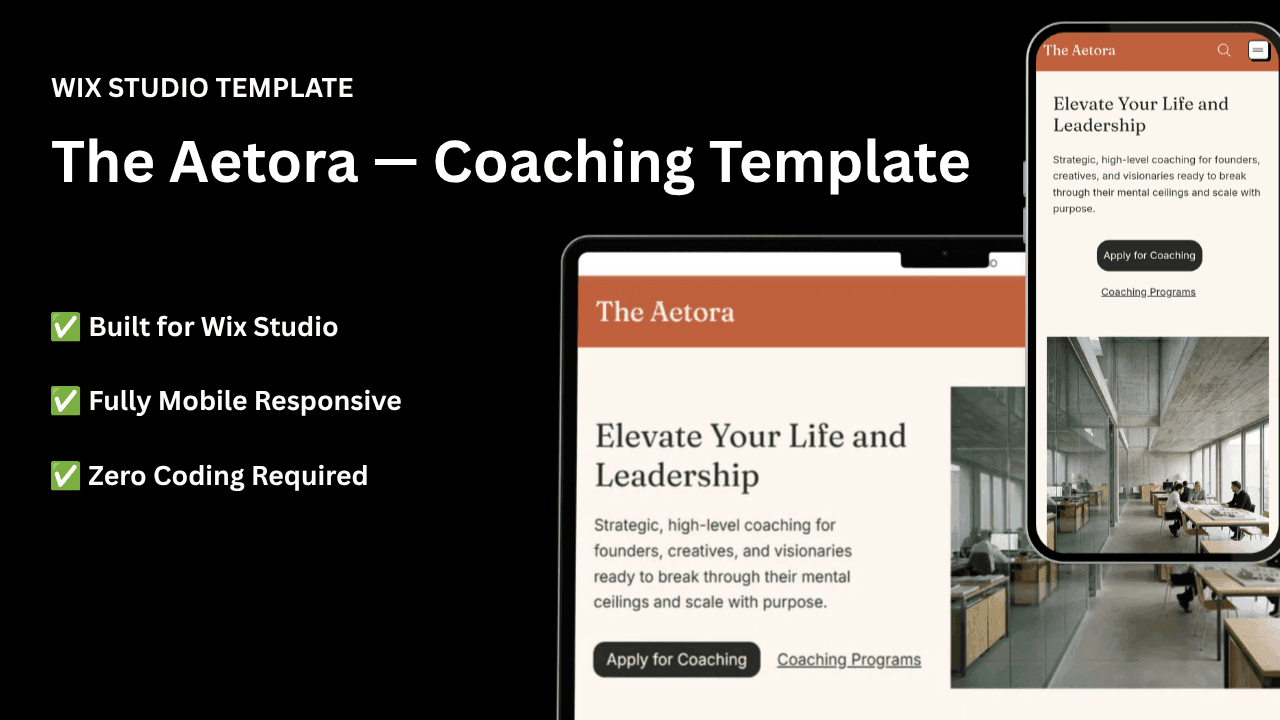
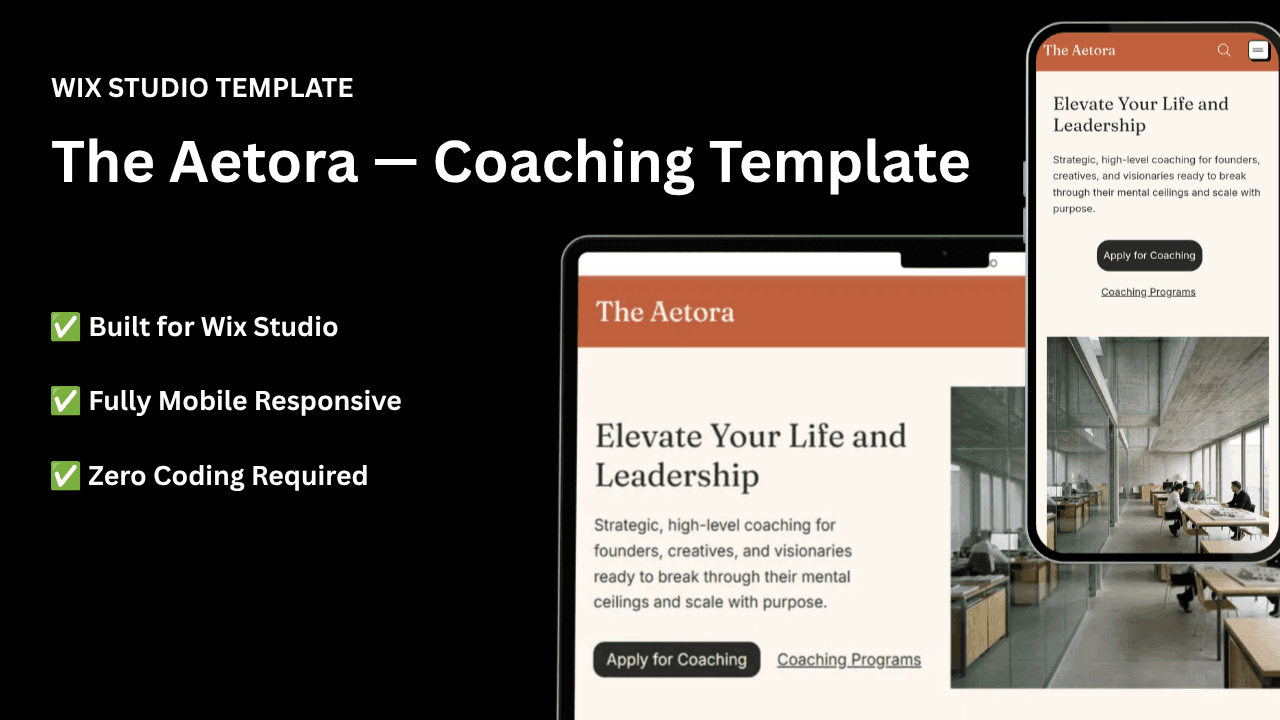
<br>I designed The Aetora, a premium Wix Studio website template built specifically for life coaches, business consultants, and creative agencies.
<br>I built it using the exact psychological frameworks we talked about today. It features a stunning cream and charcoal aesthetic, a story-driven 'About' page to build trust, a built-in 3-tier pricing layout for your coaching programs, and a distraction-free contact funnel so clients can easily apply to work with you.
<br>You don't need to know a single line of code to use it. You simply purchase the template, and my automated system will magically duplicate the entire, fully-built website directly into your own free Wix Studio account. From there, you just click the text boxes, type your own name, upload your own photos, and launch your business to the world.
<br>Your coaching business is valuable. You have the skills to change people's lives. You just need a digital storefront that reflects how good you actually are.
  </p>

  <p>
    👉<strong> <a href="https://simplesitesteps.com/wix-studio-coaching-consulting-template/" target="_blank">The Aetora | Wix Studio Template</a></strong><a href="https://simplesitesteps.com/wix-studio-coaching-consulting-template/" target="_blank"></a>
  </p>

    <h2 id="frequently-asked-questions-faq">
      Frequently Asked Questions (FAQ)
    </h2>

  <p>
    <b>Do I really need a website, or can I just use a link-in-bio tool?</b>
  </p>

  <p>
    Link-in-bio tools are fantastic for directing social media traffic, but they are extremely limited. They act as a directory, not a sales tool. If you are selling high-ticket coaching packages (anything over $500), potential clients will want to read your full story, see detailed testimonials, and understand your program structure before they hand over their credit card. A full website gives you the space to build that necessary trust.
  </p>

  <p>
    <strong>Is Wix Studio hard to use for a beginner?</strong>
  </p>

  <p>
    Not at all! While Wix Studio is incredibly powerful software used by professional agencies, it is still entirely visual. If you can drag a photo with your mouse and type on a keyboard, you can easily customize a template. Plus, purchasing a pre-built template means you don't have to learn how to set up the mobile-responsive grids—that part is already done for you!
  </p>

  <p>
    <strong>Should I use photos of myself on my coaching website?</strong>
  </p>

  <p>
    Yes, absolutely. The coaching industry is deeply personal. Clients are not buying a physical product; they are buying a relationship with you. Having clear, friendly, and professional photos of yourself across your homepage and 'About' page is the fastest way to make a visitor feel connected to you.
  </p>

  <p>
    <strong>How much does it cost to maintain a website like this?</strong>
  </p>

  <p>
    If you use a template, your only ongoing cost is your website hosting and your domain name (your .com web address). Most standard hosting plans cost between $15 and $25 a month. Considering one new coaching client will likely pay you over $1,000, your website only needs to bring you one client a year to completely pay for itself!
  </p>

  <p>
    <strong>What if I am too busy to customize the template myself?</strong>
  </p>

  <p>
    Running a coaching practice takes up a lot of time. If you don't want to spend your weekend swapping out colors and uploading photos, many template designers (including our studio) offer a "Done-For-You" setup service. You simply send over your text and logo, and the studio will set the template up for you for a flat, affordable fee. If you need help launching today, just send an email to our support team!
  </p>
            ]]>
        </content>
    </entry>
    <entry>
        <title>How to Start a WordPress Blog for YouTube Creators in 15 Minutes (No Tech Skills Needed)</title>
        <author>
            <name>Simple Site Steps</name>
        </author>
        <link href="https://simplesitesteps.com/start-wordpress-blog-youtube-creators/"/>
        <id>https://simplesitesteps.com/start-wordpress-blog-youtube-creators/</id>
        <media:content url="https://simplesitesteps.com/media/posts/22/start-a-WordPress-blog-for-YouTube-creators.jpg" medium="image" />
            <category term="Blog"/>

        <updated>2026-08-30T01:03:49+05:30</updated>
            <summary type="html">
                <![CDATA[
                        <img src="https://simplesitesteps.com/media/posts/22/start-a-WordPress-blog-for-YouTube-creators.jpg" alt="" />
                    Introduction Today we are going to show you how to start a WordPress blog for YouTube creators. Let me guess:&hellip;
                ]]>
            </summary>
        <content type="html">
            <![CDATA[
                    <p><img src="https://simplesitesteps.com/media/posts/22/start-a-WordPress-blog-for-YouTube-creators.jpg" class="type:primaryImage" alt="" /></p>
                
    <h2 id="introduction">
      Introduction
    </h2>

  <p>
    Today we are going to show you how to start a WordPress blog for YouTube creators. Let me guess: you spend hours researching, writing scripts, filming, and editing to create amazing YouTube videos. You hit publish, hoping this is the one that goes viral.
<br>But then… crickets. You realize you are completely at the mercy of the YouTube algorithm. <strong>(That is the Problem)</strong>.
<br>
<br>When you only post your content on YouTube, you are building your entire business on rented land. If the algorithm suddenly changes, or if a glitch hides your videos, your views drop to zero overnight. You don’t own your audience, and you have no backup plan. You already know that the smartest creators build their own websites to embed their videos, capture email addresses, and double their affiliate income.
<br>
<br>But every time you sit down at your computer to actually build a website, the technical information completely distract you. You start reading about “HTML coding,” “nameservers,” and “database management,” and you just want to pull your hair out and give up. <strong>(That is the Agitation)</strong>.
<br>
<br>Trust me, I know exactly how you feel. I am a creator too, and the tech headache almost stopped me from building my own site.
<br>
<br>But here is the good news: I finally figured out the “cheat code.” Today, building a beautiful, professional website does not require a computer science degree or paying a web designer thousands of dollars. If you can upload a video to YouTube, you already have the skills to build a website. <strong>(That is the Solution)</strong>.
  </p>
<div><style>
  /* --- CUSTOM COLLAPSIBLE TOC STYLING (TEXT ONLY) --- */
  .toc-container { margin: 30px 0 40px 0; font-family: -apple-system, BlinkMacSystemFont, "Segoe UI", Roboto, Arial, sans-serif; }
  
  .custom-toc { 
    background-color: #FAF9F6; /* Soft Cream Background */
    border: 1px solid #EFEBE4; 
    border-radius: 12px; 
    padding: 18px 25px; 
    transition: 0.3s ease; 
    box-shadow: 0 4px 15px rgba(0,0,0,0.02);
  }
  .custom-toc:hover { border-color: #BCAAA4; }
  
  /* THE CLICKABLE HEADER */
  .custom-toc summary { 
    font-weight: 800; 
    font-size: 1.2em; 
    color: #1A1C23; 
    outline: none; 
    list-style: none; 
    display: flex; 
    justify-content: space-between; 
    align-items: center; 
    cursor: pointer;
  }
  .custom-toc summary::-webkit-details-marker { display: none; /* Hides default browser arrow */ }
  
  /* CUSTOM ARROW ANIMATION */
  .custom-toc summary::after { 
    content: "▼"; 
    color: #00B359; /* Green Accent */
    font-size: 0.9em; 
    transition: transform 0.3s ease; 
  }
  .custom-toc[open] summary::after { 
    transform: rotate(180deg); /* Flips arrow up when opened */
    color: #1A1C23;
  }
  
  /* THE LIST INSIDE (NO LINKS) */
  .toc-body { 
    margin-top: 15px; 
    border-top: 1px solid #EFEBE4; 
    padding-top: 20px; 
    padding-bottom: 10px;
    font-size: 0.95em; 
    line-height: 1.8; 
  }
  .toc-body ol { 
    margin: 0; 
    padding-left: 20px; 
    color: #1A1C23; 
    font-weight: bold; 
  }
  .toc-body ol ol { 
    padding-left: 25px; 
    font-weight: normal; 
    margin-top: 5px; 
    color: #4A4A4A; 
  }
  .toc-body li {
    margin-bottom: 8px;
  }
</style>

<div class="toc-container">
  <details class="custom-toc">
    
    <!-- WHAT IT SAYS BEFORE THEY CLICK IT -->
    <summary>📑 Table of Contents</summary>
    
    <!-- THE LIST INSIDE -->
    <div class="toc-body">
      <ol>
        <li>Introduction</li>
        <li>Start a WordPress Blog for YouTube Creators</li>
        <li>The 15-Minute Quick-Start Guide (Step-by-Step)
          <ol>
            <li>Step 1: Choose Your Hosting Plan</li>
            <li>Step 2: Claim Your Free Domain Name (Your Address)</li>
            <li>Step 3: Complete Your Checkout</li>
            <li>Step 4: The Magic 1-Click WordPress Setup</li>
          </ol>
        </li>
        <li>How to Customize Your Site Without Coding</li>
        <li>The Easiest Step: Embedding Your YouTube Videos</li>
        <li>Why Every YouTuber Needs a Website (My Personal E-E-A-T Experience)
          <ol>
            <li>You Double Your Traffic Sources (Google + YouTube)</li>
            <li>You Skyrocket Your Video Watch Time</li>
            <li>Better Affiliate Marketing Conversions</li>
            <li>You Own Your Brand 100%</li>
          </ol>
        </li>
        <li>The “Digital Real Estate” Analogy (Explained for Beginners)
          <ol>
            <li>The Land (Web Hosting)</li>
            <li>The Address (Domain Name)</li>
            <li>The House (WordPress)</li>
          </ol>
        </li>
        <li>Are You Ready to Take the Leap?</li>
        <li>Frequently Asked Questions</li>
      </ol>
    </div>
    
  </details>
</div></div>

    <h2 id="start-a-wordpress-blog-for-youtube-creators">
      Start a WordPress Blog for YouTube Creators
    </h2>

  <p>
    Welcome to Simple Site Steps! Today, I am going to show you exactly how to start a WordPress blog for YouTube creators in just 15 minutes, step-by-step, with absolutely no coding required.
<br>
<br>Let’s start.<br>
  </p>

    <h2 id="the-15-minute-quick-start-guide-step-by-step">
      The 15-Minute Quick-Start Guide (Step-by-Step)
    </h2>

  <p>
    If you are tired of procrastinating and just want to get your website online right now, here is the fastest way to do it. No tech skills needed.
<br>
<br>To get started, we need to secure your “Land.” Over the years, I have tested almost every hosting company out there. Some were way too expensive, and others had terrible customer service that left me stranded.
<br>
<br>The one I personally use, trust, and highly recommend for beginners today is Hostinger. They are incredibly affordable, their servers are fast enough to handle embedded videos, and they do all the heavy tech-lifting for you behind the scenes.
<br>
<br>Click Here to open Hostinger in a new tab and claim your massive discount + FREE Domain Name! (This is an affiliate link)
<br>
<br>Once you have that page open, follow these exact steps:<br>
  </p>

    <h4 id="step-1-choose-your-hosting-plan">
      Step 1: Choose Your Hosting Plan
    </h4>

  <p>
    When you land on the Hostinger page, you will see a few different pricing options.
<br>
<br>My Advice: Choose the basic “Premium” plan. Seriously, do not waste your money on the expensive “Business” or “Cloud” plans when you are just starting out. The basic plan has more than enough power to run a fast, beautiful blog for your YouTube channel.
  </p>

    <h4 id="step-2-claim-your-free-domain-name-your-address">
      Step 2: Claim Your Free Domain Name (Your Address)
    </h4>

  <p>
    Because you used the link above, you get your domain name completely free for the first year. Now, you need to type in the name you want.
<br>
<br>Tips for YouTubers choosing a domain:
<br>
<br>Try to make it the exact same name as your YouTube channel. This builds brand consistency.
<br>
<br>Always try to get the .com ending. People naturally trust .com more than .net or .info.
<br>
<br>Keep it easy to spell. If you say your website name out loud in a YouTube video, your viewers should be able to type it without getting confused.
  </p>

    <h4 id="step-3-complete-your-checkout">
      Step 3: Complete Your Checkout
    </h4>

  <p>
    Hostinger will ask you to choose a billing period (like 12, 24, or 48 months). Just like buying in bulk at the grocery store, the longer the plan you choose, the cheaper the monthly price becomes. Fill in your basic details and securely complete your payment.
  </p>

    <h4 id="step-4-the-magic-1-click-wordpress-setup">
      Step 4: The Magic 1-Click WordPress Setup
    </h4>

  <p>
    In the old days, installing WordPress required downloading files and uploading them to a database. It was a nightmare.
<br>
<br>Today, Hostinger has a wizard that does it for you. After you check out, a screen will pop up asking what kind of website you are building. Select “Blog” and click the button that says “Install WordPress.”
<br>
<br>You will be asked to create a password. (Write this password down, as you will use it to log into your new website!).
<br>
<br>Wait about 60 seconds while the loading bar fills up. And just like that… your digital house is built. You are officially the owner of a self-hosted WordPress website!
  </p>

    <h2 id="how-to-customize-your-site-without-coding">
      How to Customize Your Site Without Coding
    </h2>

  <p>
    Now that your site is live, it probably looks a little plain. We need to decorate the house.
<br>
<br>In WordPress, designs are called Themes. You do not need to hire a designer to make your site look good.
<br>
<br>On the left-hand menu of your WordPress dashboard, click on Appearance, and then click Themes.
<br>
<br>Click Add New.
<br>
<br>You now have access to thousands of free, professional designs.
<br>
<br>For YouTube creators, I highly recommend searching for free themes like Astra or GeneratePress. These themes are incredibly lightweight, meaning they load very fast. Fast loading speeds are crucial when you plan on putting YouTube videos on your pages.
<br>
<br>If you don’t like where a picture is, you just click it with your mouse and drag it somewhere else. If you want to change a color, you pick a new one from a dropdown menu. It is entirely visual.<br>
  </p>

    <h2 id="the-easiest-step-embedding-your-youtube-videos">
      The Easiest Step: Embedding Your YouTube Videos
    </h2>

  <p>
    I promised you that you wouldn’t need to touch a single line of computer code, and I meant it. Here is exactly how you put your videos onto your new blog:
<br>
<br>Open your YouTube video and copy the URL from the top of the browser.
<br>
<br>Go to your WordPress dashboard and click Posts -&gt; Add New.
<br>
<br>Write your title and your text.
<br>
<br>When you want the video to appear, simply right-click and Paste the YouTube link directly into the text editor.
<br>
<br>That’s it. You don’t need to click any special “embed” buttons or mess with HTML. WordPress will instantly recognize the YouTube link and transform it into a fully playable video player right there on the screen. It feels like magic every time I do it.<br>
  </p>

    <h2 id="why-every-youtuber-needs-a-website-my-personal-e-e-a-t-experience">
      Why Every YouTuber Needs a Website (My Personal E-E-A-T Experience)
    </h2>

  <p>
    Before we get to the setup steps, we need to talk about why this is so important.
<br>
<br>When I first decided to expand my storytelling content beyond video, I stared at a blank screen for days. I tried looking at free platforms, but they looked unprofessional. I looked at hiring designers, but they wanted thousands of dollars I didn’t have.
<br>
<br>It was incredibly frustrating until I realized that WordPress is essentially just “drag and drop.” Once I got my site online, it completely changed how I create content. Here are the four massive benefits you get when you finally set up your own blog:<br>
  </p>

    <h4 id="1-you-double-your-traffic-sources-google-youtube">
      1. You Double Your Traffic Sources (Google + YouTube)
    </h4>

  <p>
    Right now, you only get traffic when someone searches on YouTube. But millions of people still prefer to read articles on Google. When you turn your video script into a blog post and publish it on your own site, you can rank on Google search results. This means you get two streams of traffic for the exact same piece of content.<br>
  </p>

    <h4 id="2-you-skyrocket-your-video-watch-time">
      2. You Skyrocket Your Video Watch Time
    </h4>

  <p>
    YouTube’s algorithm loves one thing more than anything else: Watch Time. When you embed your YouTube video inside your blog post, readers will click “play” and watch it while reading. Because they are on your website, there are no distracting “recommended videos” on the sidebar trying to steal their attention. This sends massive positive signals back to YouTube, helping your video rank higher on the platform itself.<br>
  </p>

    <h4 id="3-better-affiliate-marketing-conversions">
      3. Better Affiliate Marketing Conversions
    </h4>

  <p>
    Let’s be honest: most viewers never open the YouTube description box to click your affiliate links. But on a blog, you can naturally place beautiful buttons, comparison tables, and clickable images right in the middle of your article. Your affiliate earnings will increase simply because your links are easier to find.<br>
  </p>

    <h4 id="4-you-own-your-brand-100">
      4. You Own Your Brand 100%
    </h4>

  <p>
    YouTube can terminate a channel with zero warning. It happens to great creators every day. But nobody can delete a self-hosted WordPress website. It is your permanent digital home.<br>
  </p>

    <h2 id="the-digital-real-estate-analogy-explained-for-beginners">
      The “Digital Real Estate” Analogy (Explained for Beginners)
    </h2>

  <p>
    If you are an over-thinker like me, you probably want to understand exactly what you are paying for before you enter your credit card details. Let’s translate the confusing internet jargon into plain English.
<br>
<br>Think of the internet like a giant, digital neighborhood. If you want to build a house (your website) in this neighborhood, you need three specific things.<br>
  </p>

    <h4 id="1-the-land-web-hosting">
      1. The Land (Web Hosting)
    </h4>

  <p>
    First, you need a plot of land to build your house on. In the digital world, this land is called Web Hosting. You are basically renting space on a massive, highly secure computer that stays turned on 24/7. Because this computer never turns off, people from all over the world can visit your website at 3:00 AM while you are fast asleep.<br>
  </p>

    <h4 id="2-the-address-domain-name">
      2. The Address (Domain Name)
    </h4>

  <p>
    Second, people need an address to find your plot of land. This is your Domain Name (for example, YourChannelName.com). Usually, you have to buy your land and your address from two different companies, which can get confusing. But keep reading, because I will show you how to get your address for free.<br>
  </p>

    <h4 id="3-the-house-wordpress">
      3. The House (WordPress)
    </h4>

  <p>
    Once you have your hosting (the land) and your domain (the address), you need to actually build the house. That is where WordPress comes in. WordPress is completely free software that you install on your hosting. It acts as the walls, paint, and furniture of your digital house. You use it to write your posts, upload your thumbnail images, and embed your videos using simple menus.<br>
  </p>

    <h2 id="are-you-ready-to-take-the-leap">
      Are You Ready to Take the Leap?
    </h2>

  <p>
    You now know everything you need to start. You understand hosting, you know what a domain is, you know why a video creator desperately needs a website, and you know that you don’t need to be a tech wizard to make this happen.
<br>
<br>The only thing left to do is to take that very first step. Don’t let another YouTube algorithm update dictate the success of your brand. It is time to build your own home on the internet.
<br>
<br>Scroll back up, click my special Hostinger link to claim your free domain, and let’s get your website live today. I can’t wait to read your blog and watch your videos!
<br>
<br>Have you successfully set up your site? Drop a comments below!
  </p>

    <h2 id="frequently-asked-questions">
      Frequently Asked Questions
    </h2>

  <p>
    Starting something new is intimidating. I get emails from beginners and creators all the time asking these exact questions, and I want to put your mind completely at ease.
  </p>
<div><style>
  /* --- CUSTOM FAQ STYLING --- */
  .faq-container { margin: 40px 0; font-family: -apple-system, BlinkMacSystemFont, "Segoe UI", Roboto, Arial, sans-serif; }
  .custom-faq { background-color: #FAF9F6; border: 1px solid #EFEBE4; border-radius: 8px; margin-bottom: 15px; padding: 18px 20px; transition: 0.2s ease; cursor: pointer; }
  .custom-faq:hover { border-color: #BCAAA4; box-shadow: 0 4px 12px rgba(0,0,0,0.03); }
  
  .custom-faq summary { font-weight: 800; font-size: 1.1em; color: #1A1C23; outline: none; list-style: none; display: flex; justify-content: space-between; align-items: center; }
  .custom-faq summary::-webkit-details-marker { display: none; /* Hides the ugly default browser arrow */ }
  
  /* Adds a custom "+" symbol */
  .custom-faq summary::after { content: "+"; color: #BCAAA4; font-size: 1.5em; font-weight: bold; }
  .custom-faq[open] summary::after { content: "−"; color: #1A1C23; } /* Changes to "-" when opened */
  
  .faq-answer { margin-top: 15px; color: #64748B; line-height: 1.6; font-size: 0.95em; border-top: 1px solid #EFEBE4; padding-top: 15px; }
</style>

<div class="faq-container">
  
  <!-- FAQ ITEM 1 -->
  <details class="custom-faq">
    <summary>Can I just use a free website builder instead of paying for hosting?</summary>
    <div class="faq-answer">
      I have to be brutally honest with you: I made this exact mistake when I first started. I tried to build my site on a free platform to save a few bucks, and I completely regretted it. When you use a free builder, your website address looks messy (like YourChannel.FreeWebsite.com), which makes it hard for viewers or potential brand sponsors to take you seriously. Worse, those free companies put their own ugly ads on your site, and they keep all the money. By spending just a few dollars a month on real hosting, you own your website 100%. You are the boss, you keep all the ad revenue, and you look like a true professional.
    </div>
  </details>

  <!-- FAQ ITEM 2 -->
  <details class="custom-faq">
    <summary>Will putting YouTube videos on my blog make it load slowly?</summary>
    <div class="faq-answer">
      This is a great question. If you upload heavy video files directly to your WordPress media library, yes, it will crash your site. But when you embed a YouTube video (by just pasting the link as I showed you above), the video is actually still playing from YouTube’s billion-dollar servers, not yours! Your website stays lightning fast, which keeps Google happy and helps your SEO rankings. 
    </div>
  </details>

  <!-- FAQ ITEM 3 -->
  <details class="custom-faq">
    <summary>How much time does running a blog actually take?</summary>
    <div class="faq-answer">
      As a video creator, your time is already stretched thin. Getting the actual website online today will only take about 15 minutes. After that? You can go completely at your own pace. You don’t have to write a new article every day. The best strategy is to simply take the video script you already wrote for your YouTube channel, format it with some nice headings, and paste it into WordPress once a week. You are essentially recycling the hard work you already did!
    </div>
  </details>
  
  <!-- FAQ ITEM 4 -->
  <details class="custom-faq">
    <summary>Will Google penalize me if I use AI to help me write my blog posts?</summary>
    <div class="faq-answer">
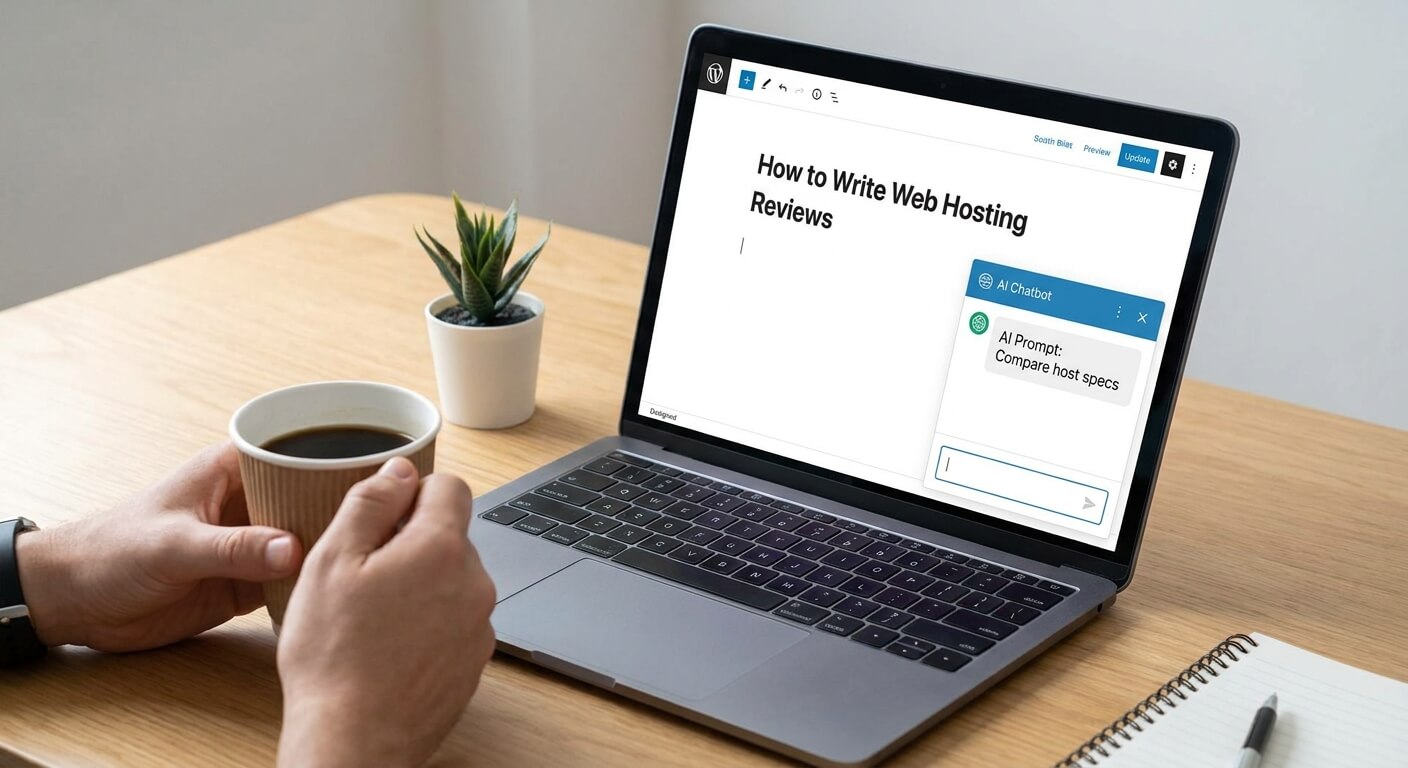
      Many creators use tools like ChatGPT to help turn their video scripts into blog articles. Google has explicitly stated that they do not penalize content simply because AI helped create it. However, Google does penalize lazy content. If you use AI to help you outline or reformat your script, just make sure you read through it. Add your personal tone, include screenshots, and embed your video. As long as you provide real value to a human reader, you are perfectly safe.
    </div>
  </details>

</div></div>
            ]]>
        </content>
    </entry>
    <entry>
        <title>How to write an affiliate blog post Using AI (10 Exact Best Prompts)</title>
        <author>
            <name>Simple Site Steps</name>
        </author>
        <link href="https://simplesitesteps.com/how-to-write-an-affiliate-blog-post/"/>
        <id>https://simplesitesteps.com/how-to-write-an-affiliate-blog-post/</id>
        <media:content url="https://simplesitesteps.com/media/posts/21/how-to-write-an-affiliate-blog-post-using-AI.jpg" medium="image" />
            <category term="Blog"/>

        <updated>2026-08-30T01:03:14+05:30</updated>
            <summary type="html">
                <![CDATA[
                        <img src="https://simplesitesteps.com/media/posts/21/how-to-write-an-affiliate-blog-post-using-AI.jpg" alt="" />
                    Introduction Let me be completely honest with you. When I first started out my blog, figuring out how to write&hellip;
                ]]>
            </summary>
        <content type="html">
            <![CDATA[
                    <p><img src="https://simplesitesteps.com/media/posts/21/how-to-write-an-affiliate-blog-post-using-AI.jpg" class="type:primaryImage" alt="" /></p>
                
    <h2 id="introduction">
      Introduction
    </h2>

  <p>
    Let me be completely honest with you. When I first started out my blog, figuring out how to write an affiliate blog post that actually converted readers into buyers, I felt impossible. I would literally stare at a blank Google Doc for hours, and trying to review tech products like web hosting without any proper knowledge.
<br>
<br>I’d have two tabs open: one with Hostinger’s pricing page, and another with GoDaddy’s feature list. I was trying to figure out how I was going to make things like “NVMe SSD Storage,” “LiteSpeed web servers,” and “99.9% uptime guarantees” sound exciting to a beginner trying to start their first blog.
<br>
<br>It was exhausting. Helpful review takes hours of research. We all know that web hosting is one of the most profitable affiliate niches out there, but the barrier to entry is the content itself. How do you write a 2,000-word review without losing your mind?
<br>
<br>Enter Artificial Intelligence. And I searched “how to write an affiliate blog post.”
  </p>
<div><style>
  /* --- CUSTOM COLLAPSIBLE TOC STYLING --- */
  .toc-container { margin: 30px 0 40px 0; font-family: -apple-system, BlinkMacSystemFont, "Segoe UI", Roboto, Arial, sans-serif; }
  
  .custom-toc { 
    background-color: #FAF9F6; /* Soft Cream Background */
    border: 1px solid #EFEBE4; 
    border-radius: 12px; 
    padding: 18px 25px; 
    transition: 0.3s ease; 
    box-shadow: 0 4px 15px rgba(0,0,0,0.02);
  }
  .custom-toc:hover { border-color: #BCAAA4; }
  
  /* THE CLICKABLE HEADER */
  .custom-toc summary { 
    font-weight: 800; 
    font-size: 1.2em; 
    color: #1A1C23; 
    outline: none; 
    list-style: none; 
    display: flex; 
    justify-content: space-between; 
    align-items: center; 
    cursor: pointer;
  }
  .custom-toc summary::-webkit-details-marker { display: none; /* Hides default browser arrow */ }
  
  /* CUSTOM ARROW ANIMATION */
  .custom-toc summary::after { 
    content: "▼"; 
    color: #00B359; /* Green Accent */
    font-size: 0.9em; 
    transition: transform 0.3s ease; 
  }
  .custom-toc[open] summary::after { 
    transform: rotate(180deg); /* Flips arrow up when opened */
    color: #1A1C23;
  }
  
  /* THE LINK LIST INSIDE */
  .toc-body { 
    margin-top: 15px; 
    border-top: 1px solid #EFEBE4; 
    padding-top: 20px; 
    padding-bottom: 10px;
    font-size: 0.95em; 
    line-height: 1.8; 
  }
  .toc-body ol { margin: 0; padding-left: 20px; color: #1A1C23; font-weight: bold; }
  .toc-body ol ol { padding-left: 25px; font-weight: normal; margin-top: 5px; } /* Styling for sub-chapters */
  
  .toc-body a { 
    color: #00B359; /* Green Links */
    text-decoration: none; 
    transition: 0.2s; 
  }
  .toc-body a:hover { 
    color: #1A1C23; 
    text-decoration: underline; 
  }
</style>

<div class="toc-container">
  <details class="custom-toc">
    
    <!-- WHAT IT SAYS BEFORE THEY CLICK IT -->
    <summary>📑 Table of Contents</summary>
    
    <!-- THE LINKS INSIDE -->
    <div class="toc-body">
      <ol>
        <li><a href="#introduction">Introduction</a></li>
        <li><a href="#how-to-write-an-affiliate-blog-post">How to Write an Affiliate Blog Post</a></li>
        <li><a href="#why-you-shouldnt-just-ask-ai-to-write-a-review">Why You Shouldn't Just Ask AI to "Write a Review"</a></li>
        
        <li><a href="#the-10-exact-prompts-for-web-hosting-reviews">The 10 Exact Prompts for Web Hosting Reviews</a>
          <!-- SUB-CHAPTERS LIST -->
          <ol type="1">
            <li><a href="#prompt-1-the-heavy-lifter-research-prompt">Prompt 1: The "Heavy Lifter" Research Prompt</a></li>
            <li><a href="#prompt-2-the-seo-optimized-outline-generator">Prompt 2: The SEO-Optimized Outline Generator</a></li>
            <li><a href="#prompt-3-the-feature-to-benefit-translator-the-money-prompt">Prompt 3: The Feature-to-Benefit Translator</a></li>
            <li><a href="#prompt-4-the-pas-introduction-hook">Prompt 4: The PAS Introduction Hook</a></li>
            <li><a href="#prompt-5-the-skimmer-friendly-pros-and-cons">Prompt 5: The “Skimmer-Friendly” Pros and Cons</a></li>
            <li><a href="#prompt-6-the-people-also-ask-faq-section">Prompt 6: The “People Also Ask” FAQ Section</a></li>
            <li><a href="#prompt-7-the-pricing-tier-demystifier-exposing-hidden-fees">Prompt 7: The Pricing Tier Demystifier (Exposing Hidden Fees)</a></li>
            <li><a href="#prompt-8-the-best-alternatives-generator">Prompt 8: The “Best Alternatives” Generator</a></li>
            <li><a href="#prompt-9-the-real-world-use-case-scenarios">Prompt 9: The “Real-World Use Case” Scenarios</a></li>
            <li><a href="#prompt-10-the-high-converting-verdict-andamp-call-to-action-cta">Prompt 10: The High-Converting Verdict & Call to Action (CTA)</a></li>
          </ol>
        </li>
        
        <li><a href="#the-golden-rule-adding-your-e-e-a-t-the-human-touch">The Golden Rule: Adding Your "E-E-A-T"</a></li>
        <li><a href="#final-thoughts-taking-your-first-simple-site-step">Final Thoughts</a></li>
        <li><a href="#frequently-asked-questions">Frequently Asked Questions</a></li>
      </ol>
    </div>
    
  </details>
</div>
</div>

    <h2 id="how-to-write-an-affiliate-blog-post">
      How to Write an Affiliate Blog Post
    </h2>

  <p>
    Over the last few months here at Simple Site Steps, I’ve completely overhauled my writing process. I don’t write from scratch anymore. Instead, I use AI as my personal research assistant, outlining expert, and copywriter. But here is the catch: I don’t just click a button and let AI write the whole thing. Google’s algorithms are smarter than that. To rank on page one, we need to insert our own human Experience, Expertise, Authoritativeness, and Trustworthiness (E-E-A-T).
<br>
<br>Today, I’m pulling back the curtain. I’m going to share the exact 10 AI prompts I use to write high-converting web hosting affiliate reviews in record time, while keeping that crucial human touch.
<br>
<br>Let’s start.
  </p>

    <h2 id="why-you-shouldnt-just-ask-ai-to-write-a-review">
      Why You Shouldn’t Just Ask AI to “Write a Review”
    </h2>

  <p>
    Before we get to the prompts, we need to have a quick heart-to-heart about SEO.
<br>
<br>If you go into ChatGPT, Claude, or Gemini and type: “Write a 1000-word affiliate review of Hostinger Web Hosting,” you are going to get a robotic, generic, and painfully boring article. It will start with “In today’s fast-paced digital world…” (Ugh, please, no).
<br>
<br>More importantly, Google hates this. They want to see first-hand experience. They want to know that you actually understand what makes a good web host.
<br>
<br>So, how do we use AI effectively? We break the review down into simple site steps. We use AI to do the heavy lifting—researching features, structuring the article, and translating technical jargon—so that we can focus on adding our personal opinions, screenshots, and real-world results.
<br>
<br>Here are the 10 prompts I use to build the perfect affiliate review, piece by piece.<br>
  </p>

    <h2 id="the-10-exact-prompts-for-web-hosting-reviews">
      The 10 Exact Prompts for Web Hosting Reviews
    </h2>

    <h4 id="prompt-1-the-heavy-lifter-research-prompt">
      Prompt 1: The “Heavy Lifter” Research Prompt
    </h4>

  <p>
    When I start a comparison review, the first thing I need is the raw data. I don’t want to hunt through five different web pages to find out how much RAM a starter plan has for my “how to write an affiliate blog post” article. I let AI do the data scraping for me.
<br>
<br><b>Copy and paste this prompt:</b>
  </p>
<pre class="line-numbers  language-html"><code>"I am writing an affiliate review comparing [Host A] and [Host B] for my blog targeted at total beginners. Act as a senior web developer and build a detailed comparison table. Compare their cheapest shared hosting plans based on: Price (first year vs renewal), storage limits, bandwidth, free domains, SSL certificates, customer support options, and server speed technology. Present this in a clean, easy-to-read table."</code></pre>

  <p>
    <b>Why this works:</b> It instantly organizes the facts. Instead of writing, you are now just fact-checking. You can take this table, drop it straight into your blog post, and instantly provide massive value to your reader who just wants a quick comparison.
  </p>

    <h4 id="prompt-2-the-seo-optimized-outline-generator">
      Prompt 2: The SEO-Optimized Outline Generator
    </h4>

  <p>
    A good review needs structure. Don’t just write how to write an affiliate blog post only using paragraphs. If your blog post is just a wall of text, your readers will bounce, and Google will drop your rankings. We need clear H2 and H3 headings.
<br>
<br><strong>Copy and paste this prompt:</strong>
  </p>
<pre class="line-numbers  language-html"><code>"Act as an expert SEO content strategist. Create a comprehensive blog post outline for a review of [Web Host Name]. The target audience is beginner bloggers who are non-technical. Include engaging H2 and H3 headings that target long-tail keywords. Make sure the structure flows logically from introduction to pricing, performance, pros/cons, and a final verdict."</code></pre>

  <p>
    <strong>Why this works:</strong> When I use this prompt, AI gives me a beautiful skeleton for my article. It usually suggests sections I wouldn’t have thought of, like “What Happens When Your Traffic Spikes on [Host Name]?” which is a highly searched question!<br>
  </p>

    <h4 id="prompt-3-the-feature-to-benefit-translator-the-money-prompt">
      Prompt 3: The Feature-to-Benefit Translator (The Money Prompt)
    </h4>

  <p>
    If there is one prompt you take away from this post, make it this one. This is how we make money as affiliates. Beginners do not care about “object caching” or “PHP 8.2”. They care about what those features do for them. We need to translate features into benefits for our blog “how to write an affiliate blog post”.
<br>
<br><strong>Copy and paste this prompt:</strong>
  </p>
<pre class="line-numbers  language-html"><code>"I am reviewing [Web Host Name]. They offer the following technical features: [Paste a list of features, e.g., NVMe SSD storage, CDN integration, LiteSpeed servers]. As an expert copywriter, translate each of these technical features into a beginner-friendly benefit. Explain how it will actually help a new blogger get more traffic, save time, or make money, using conversational language."</code></pre>

  <p>
    <strong>Why this works:</strong> AI will take “NVMe SSD Storage” and turn it into: “Lightning-Fast Loading Speeds: This host uses top-tier NVMe storage, which is a fancy way of saying your blog will load in under a second. This keeps your readers from getting impatient and leaving, meaning more page views and more affiliate sales for you.” That is pure gold.
  </p>

    <h4 id="prompt-4-the-pas-introduction-hook">
      Prompt 4: The PAS Introduction Hook
    </h4>

  <p>
    The first 100 words of your blog post dictate whether someone stays or leaves. I always use the PAS (Problem, Agitation, Solution) formula to hook my readers to my blog (how to write an affiliate blog post).
<br>
<br><strong>Copy and paste this prompt:</strong>

  </p>
<pre class="line-numbers  language-html"><code>"Write a 150-word introduction for my review of [Web Host Name]. Use the PAS (Problem, Agitation, Solution) copywriting framework. The problem is feeling overwhelmed by all the hosting choices. The agitation is the fear of picking a slow host and losing blog traffic. The solution is my honest, hype-free review of [Web Host Name]. Write in the first person ('I' and 'we'), keep the tone friendly and empathetic, and do not use the phrase 'in today's digital world'."
</code></pre>

  <p>
    <strong>Why this works:</strong> It creates immediate empathy. When your reader feels like you understand their exact struggle, they trust you. And in the affiliate marketing game, trust equals conversions.<br>
  </p>

    <h4 id="prompt-5-the-skimmer-friendly-pros-and-cons">
      Prompt 5: The “Skimmer-Friendly” Pros and Cons
    </h4>

  <p>
    Let’s face it: people skim online. When I land on a review, I immediately scroll down to look for the Pros and Cons box.
<br>
<br><strong>Copy and paste this prompt:</strong><br>
  </p>
<pre class="line-numbers  language-html"><code>"Based on the current web hosting market, list the 5 biggest pros and 3 biggest cons of using [Web Host Name] for a brand new WordPress blog. Be brutally honest. Frame the cons as minor warnings rather than deal breakers. Output this as a bulleted list that I can put in a summary box at the top of my article."
</code></pre>

  <p>
    <strong>Why this works:</strong> By asking the AI to be “brutally honest” and framing the cons as warnings, you dramatically boost your E-E-A-T score. A review that only says positive things looks like a scam. Sharing a minor negative (e.g., “Customer support wait times can be slightly longer on weekends”) makes your glowing recommendation much more believable.<br>
  </p>

    <h4 id="prompt-6-the-people-also-ask-faq-section">
      Prompt 6: The “People Also Ask” FAQ Section
    </h4>

  <p>
    If you want to rank for long-tail keywords and snatch those rich snippets on Google, you absolutely must have an FAQ section at the bottom of your post (how to write an affiliate blog post).
<br>
<br><strong>Copy and paste this prompt:</strong>
  </p>
<pre class="line-numbers  language-html"><code>"What are the 5 most common questions beginners ask on Google and Reddit before buying hosting from [Web Host Name]? Write a short, helpful, 2-to-3 sentence answer for each question. Keep the tone reassuring and direct."
</code></pre>

  <p>
    <strong>Why this works:</strong> Google loves FAQ schema. By answering the exact questions people are typing into the search bar, you increase your chances of showing up in the “People Also Ask” drop-downs on the search engine results page.<br>
  </p>

    <h4 id="prompt-7-the-pricing-tier-demystifier-exposing-hidden-fees">
      Prompt 7: The Pricing Tier Demystifier (Exposing Hidden Fees)
    </h4>

  <p>
    Web hosting pricing is notoriously confusing. Hosts love to advertise “$2.95/month,” but beginners don’t realize they have to pay for 3 years upfront, or that it renews at $14.99/month. If I want my readers to trust me, I have to be completely transparent about pricing. This prompt does the math for me.
<br>
<br><strong>Copy and paste this prompt:</strong>
  </p>
<pre class="line-numbers  language-html"><code>"I am reviewing [Web Host Name]. They have three main shared hosting tiers: [List Tier 1, Tier 2, Tier 3]. Act as a transparent, consumer-advocate affiliate marketer. Break down these three pricing tiers for a beginner. Highlight the introductory price versus the renewal price. Tell the reader exactly which tier is the 'Best Value' for a brand new blog, and explicitly warn them about any up-sells they should uncheck at checkout."
</code></pre>

  <p>
    <strong>Why this works:</strong> Nothing builds trust faster than saving your reader money. When you actively warn a beginner not to buy the unnecessary “Site-lock Security” up-sell, or explain the renewal shock, you stop sounding like a sleazy salesman and start sounding like a trusted mentor. This skyrockets your Trustworthiness (the “T” in E-E-A-T).<br>
  </p>

    <h4 id="prompt-8-the-best-alternatives-generator">
      Prompt 8: The “Best Alternatives” Generator
    </h4>

  <p>
    Here is a secret I learned the hard way: not every reader is going to want the host you are reviewing. If they decide it’s not for them, and you don’t offer alternatives, they will hit the “back” button and buy from a competitor’s website. We want to keep them on Simple Site Steps!
<br>
<br><strong>Copy and paste this prompt:</strong><br>
  </p>
<pre class="line-numbers  language-html"><code>"I have just written a review for [Web Host Name]. Some readers will realize this host is not right for them. Suggest 3 alternative web hosts. For Alternative 1, provide a better option for absolute budget seekers. For Alternative 2, provide a better option for premium speed and customer service. For Alternative 3, provide a better option for scaling a high-traffic site. Write a 2-sentence summary for each, explaining exactly why someone should choose it over [Web Host Name]."
</code></pre>

  <p>
    <strong>Why this works:</strong> It captures the “on-the-fence” buyers. You can easily hyperlink those three alternatives to your other affiliate reviews or directly to your affiliate links. Google also loves this because it provides a comprehensive, unbiased view of the market, proving your Expertise.<br>
  </p>

    <h4 id="prompt-9-the-real-world-use-case-scenarios">
      Prompt 9: The “Real-World Use Case” Scenarios
    </h4>

  <p>
    Technical specs don’t sell web hosting; visualization does. A beginner isn’t asking, “Can this host run PHP 8?” They are asking, “Can this host run my food blog?” I use this prompt to help readers visualize their own success.
<br>
<br><strong>Copy and paste this prompt:</strong>
  </p>
<pre class="line-numbers  language-html"><code>"I want to help my readers visualize using [Web Host Name]. Create 3 highly relatable, real-world 'use case' scenarios for beginners. For example: A stay-at-home mom starting a recipe blog, a freelancer building a graphic design portfolio, and a hobbyist starting a local podcast. Explain briefly how [Web Host Name]'s specific features (like 1-click WordPress install or unmetered bandwidth) make it the perfect fit for these specific types of websites. Keep the tone encouraging and inspiring."
</code></pre>

  <p>
    <strong>Why this works:</strong> It bridges the gap between cold tech and human emotion. When a reader sees their specific dream (like starting a freelance portfolio) mentioned in your review, they immediately feel understood. It dramatically increases the chances of them clicking your affiliate link because they now believe the product was made specifically for them.<br>
  </p>

    <h4 id="prompt-10-the-high-converting-verdict-andamp-call-to-action-cta">
      Prompt 10: The High-Converting Verdict &amp; Call to Action (CTA)
    </h4>

  <p>
    Finally, we need to tell the reader exactly what to do next. A weak conclusion will cost you commissions.
<br>
<br><strong>Copy and paste this prompt:</strong><br>
  </p>
<pre class="line-numbers  language-html"><code>"Write a concluding 'Final Verdict' section for my review of [Web Host Name]. Summarize who this host is perfect for (e.g., budget-conscious beginners) and who should avoid it (e.g., massive e-commerce stores). End with a strong, urgent Call to Action encouraging them to click my affiliate link to get a special discount and start their blog today."
</code></pre>

  <p>
    <strong>Why this works:</strong> It removes the friction of decision-making. You are explicitly telling the reader: If you fit this profile, buy this right now.
  </p>

    <h2 id="the-golden-rule-adding-your-e-e-a-t-the-human-touch">
      The Golden Rule: Adding Your “E-E-A-T” (The Human Touch)
    </h2>

  <p>
    Do not just paste these AI outputs into WordPress and hit publish.
<br>
<br>If you want to survive Google’s algorithm updates, you have to prove that a human being is behind the keyboard. Here is how I add E-E-A-T to my AI-assisted drafts before I publish them on Simple Site Steps:
<br>

  </p>

  <ul>
    <li>I insert my own screenshots: If I am reviewing Hostinger, I log into my actual Hostinger dashboard, take a screenshot of the control panel, draw a red arrow on it, and upload it. This proves I actually use the product.</li><li>I add a “My Personal Experience” box: I write a 100-word paragraph completely from my own brain. I talk about my experience talking to their live chat support, or how easy it was to install WordPress.</li><li>I format relentlessly: I use bold text, italicized words, and custom graphics. I make the post visually beautiful. AI can give you words, but it can’t give you web design (yet).</li>
  </ul>

    <h2 id="final-thoughts-taking-your-first-simple-site-step">
      Final Thoughts: Taking Your First Simple Site Step
    </h2>

  <p>
    Writing web hosting affiliate reviews used to feel like climbing a mountain. Today, with these 10 AI prompts, it feels like a walk in the park.
<br>
<br>By combining the raw processing power of AI with your own unique human experiences and opinions, you can pump out highly helpful, SEO-optimized reviews that genuinely assist beginners—and earn you a great income in the process.
<br>
<br>Your next simple step? Open up a new chat in your favorite AI tool right now, copy Prompt #1, and start researching your very first web hosting review.
<br>
<br>Have you tried using AI for your affiliate blogs yet? Let me know in the comments below, and if you want more copy-paste prompt templates, make sure to bookmark the blog! That’s All. Be Happy and Use AI effectively for your daily needs. Thank You for reading our BLOG.
  </p>

    <h2 id="frequently-asked-questions">
      Frequently Asked Questions
    </h2>
<div><style>
  /* --- CUSTOM FAQ STYLING --- */
  .faq-container { margin: 40px 0; font-family: -apple-system, BlinkMacSystemFont, "Segoe UI", Roboto, Arial, sans-serif; }
  .custom-faq { background-color: #FAF9F6; border: 1px solid #EFEBE4; border-radius: 8px; margin-bottom: 15px; padding: 18px 20px; transition: 0.2s ease; cursor: pointer; }
  .custom-faq:hover { border-color: #BCAAA4; box-shadow: 0 4px 12px rgba(0,0,0,0.03); }
  
  .custom-faq summary { font-weight: 800; font-size: 1.1em; color: #1A1C23; outline: none; list-style: none; display: flex; justify-content: space-between; align-items: center; }
  .custom-faq summary::-webkit-details-marker { display: none; /* Hides the ugly default browser arrow */ }
  
  /* Adds a custom "+" symbol */
  .custom-faq summary::after { content: "+"; color: #BCAAA4; font-size: 1.5em; font-weight: bold; }
  .custom-faq[open] summary::after { content: "−"; color: #1A1C23; } /* Changes to "-" when opened */
  
  .faq-answer { margin-top: 15px; color: #64748B; line-height: 1.6; font-size: 0.95em; border-top: 1px solid #EFEBE4; padding-top: 15px; }
</style>

<div class="faq-container">
  
  <!-- FAQ ITEM 1 -->
  <details class="custom-faq">
    <summary>Will Google penalize AI-generated web hosting reviews?</summary>
    <div class="faq-answer">
      No, Google has explicitly stated that they do not penalize content simply because it is generated by AI. However, Google’s algorithms do penalize low-quality, unedited content. As long as you use AI prompts to assist your writing and inject your own personal experience, screenshots, and opinions (E-E-A-T), your web hosting reviews can safely rank on page one.
    </div>
  </details>

  <!-- FAQ ITEM 2 -->
  <details class="custom-faq">
    <summary>Can I use the free version of ChatGPT to write affiliate reviews?</summary>
    <div class="faq-answer">
      Yes, you can absolutely use the free version of ChatGPT (or Claude and Gemini) to write your content. The 10 AI prompts for web hosting reviews shared in this guide are designed to work perfectly on any free AI model. However, paid versions often have live web-browsing capabilities, which makes pulling up-to-date pricing for hosting companies much faster. 
    </div>
  </details>

  <!-- FAQ ITEM 3 -->
  <details class="custom-faq">
    <summary>Will these AI prompts pass AI detection tools?</summary>
    <div class="faq-answer">
      While these specific prompts are designed to create conversational and human-sounding text, raw AI output might still be flagged by AI detectors. But don’t worry—Google doesn’t use standard AI detectors to rank content. Instead of worrying about passing a detector, focus on editing the text to add your unique voice and real-world expertise.
    </div>
  </details>
  
  <!-- FAQ ITEM 4 -->
  <details class="custom-faq">
    <summary>What is the best AI tool for blogging and affiliate marketing?</summary>
    <div class="faq-answer">
      For structural outlining and conversational tone, ChatGPT and Claude are currently the industry favorites for bloggers. If you need an AI tool that seamlessly integrates live Google search data to check web host server specs, Google’s Gemini is a fantastic free alternative.
    </div>
  </details>
  
  <!-- FAQ ITEM 5 -->
  <details class="custom-faq">
    <summary>Can I use these exact prompts for other affiliate niches?</summary>
    <div class="faq-answer">
      Absolutely. While these templates are optimized as AI prompts for web hosting reviews, you can easily swap out the variables. For example, you can replace “shared hosting plans” with “email marketing software” or “WordPress themes” and the AI will generate the same high-quality research and outlines for any affiliate niche.
    </div>
  </details>

</div></div>
            ]]>
        </content>
    </entry>
    <entry>
        <title>Free Aesthetic Link-in-Bio Template for Google Sites</title>
        <author>
            <name>Simple Site Steps</name>
        </author>
        <link href="https://simplesitesteps.com/aesthetic-link-in-bio-template/"/>
        <id>https://simplesitesteps.com/aesthetic-link-in-bio-template/</id>
        <media:content url="https://simplesitesteps.com/media/posts/20/Aesthetic-Link-in-Bio-Cover-Photo.png" medium="image" />
            <category term="Tutorials"/>
            <category term="Google Sites Templates"/>

        <updated>2026-08-30T01:02:38+05:30</updated>
            <summary type="html">
                <![CDATA[
                        <img src="https://simplesitesteps.com/media/posts/20/Aesthetic-Link-in-Bio-Cover-Photo.png" alt="" />
                    /* --- HIDE DEFAULT TITLE & FEATURED IMAGE --- */ .content__header, .content__title, .content__featured-image { display: none !important; } /* OVERRIDE&hellip;
                ]]>
            </summary>
        <content type="html">
            <![CDATA[
                    <p><img src="https://simplesitesteps.com/media/posts/20/Aesthetic-Link-in-Bio-Cover-Photo.png" class="type:primaryImage" alt="" /></p>
                <div><style>
  /* --- HIDE DEFAULT TITLE & FEATURED IMAGE --- */
  .content__header, 
  .content__title, 
  .content__featured-image { 
      display: none !important; 
  }

  /* OVERRIDE GLOBAL SETTINGS: KEEP PAGE WIDE */
  .post__inner, .content__inner, .post__entry, .page__entry { 
      max-width: 1200px !important; 
  }

  /* --- GLOBAL STYLES --- */
  .prod-page-wrapper {
    font-family: -apple-system, BlinkMacSystemFont, "Segoe UI", Roboto, Helvetica, Arial, sans-serif;
    color: #333333;
    max-width: 1200px;
    margin: 0 auto;
    padding-bottom: 60px;
    line-height: 1.6;
  }

  /* BRAND COLORS */
  :root {
    --dark-slate: #0C3647; /* Matches the dark blue text */
    --accent-green: #1F8A4B; /* Matches the "Free" text */
    --light-grey: #F3F4F6;
    --light-green: #DCEFE2;
  }

  /* --- TOP HEADER --- */
  .main-heading {
    text-align: center;
    font-size: 3em;
    font-weight: 800;
    color: var(--dark-slate);
    margin: 0px 20px 60px 20px;
    line-height: 1.2;
  }
  .text-green { color: var(--accent-green); }

  /* --- HERO SECTION (SPLIT) --- */
  .hero-flex {
    display: flex;
    flex-wrap: wrap;
    align-items: center;
    gap: 50px;
    padding: 0 20px;
    margin-bottom: 60px;
  }
  .hero-img-col { flex: 1 1 400px; text-align: center; }
  .hero-img-col img { width: 100%; max-width: 450px; border-radius: 8px; box-shadow: 0 4px 20px rgba(0,0,0,0.08); }
  
  .hero-text-col { flex: 1 1 400px; }
  .hero-text-col h2 { font-size: 2.2em; color: var(--dark-slate); font-weight: 800; margin-bottom: 20px; line-height: 1.2; }
  .hero-text-col p { font-size: 1.05em; margin-bottom: 25px; color: #4A4A4A; }
  .price-text { font-size: 1.1em; font-weight: bold; color: #000; margin-bottom: 20px; }

  /* BUTTONS (STACKED) */
  .btn-stack { display: flex; flex-direction: column; gap: 15px; align-items: center; }
  
  .btn-solid { background-color: var(--dark-slate); color: #FFF !important; text-align: center; padding: 14px 30px; width: 100%; max-width: 300px; box-sizing: border-box; font-weight: bold; font-size: 1em; border-radius: 50px; text-decoration: none; border: 2px solid var(--dark-slate); transition: 0.2s; }
  .btn-solid:hover { background-color: #082430; border-color: #082430; }
  
  .btn-outline { background-color: #FFF; color: var(--dark-slate) !important; text-align: center; padding: 14px 30px; width: 100%; max-width: 300px; box-sizing: border-box; font-weight: bold; font-size: 1em; border-radius: 50px; text-decoration: none; border: 1px solid #A0AAB2; transition: 0.2s; }
  .btn-outline:hover { border-color: var(--dark-slate); background-color: #F8F9FA; }

  /* --- BANNER TITLES --- */
  .banner-title {
    background-color: var(--light-grey);
    text-align: center;
    padding: 30px 20px;
    font-size: 1.5em;
    font-weight: bold;
    color: var(--dark-slate);
    margin: 40px 0;
  }
  
  /* --- SECTION BOXES (AETORA STYLE) --- */
.section-wrapper { 
    padding: 60px 20px; 
    border-radius: 16px; 
    margin: 0 auto 60px auto; 
    max-width: 1100px;
    box-sizing: border-box; 
    border: 1px solid #EFEBE4;
}
.bg-grey { background-color: var(--bg-grey); }
.bg-white { background-color: #FFFFFF; border: none; padding: 20px; }
.bg-green { background-color: var(--bg-green); text-align: center; border-color: #B5D2BF; }

  /* --- VIDEO PLACEHOLDER --- */
  .video-placeholder {
    width: 100%;
    max-width: 800px;
    height: 400px;
    margin: 0 auto;
    background-color: #FFFFFF;
    border: 2px dashed #CBD5E1;
    display: flex;
    justify-content: center;
    align-items: center;
    color: #94A3B8;
    font-weight: bold;
    border-radius: 8px;
  }

  /* --- 3-COLUMN GRIDS --- */
  .three-col-grid {
    display: flex;
    flex-wrap: wrap;
    gap: 30px;
    padding: 0 20px;
    margin-bottom: 60px;
    text-align: center;
  }
  .grid-item { flex: 1 1 250px; }
  .grid-icon { font-size: 3em; margin-bottom: 15px; }
  .grid-item h3 { font-size: 1.4em; color: var(--dark-slate); font-weight: 800; margin-bottom: 15px; }
  .grid-item p { color: #4A4A4A; font-size: 0.95em; }

  /* --- UPSELL BANNER (GREEN) --- */
  .upsell-banner {
    background-color: var(--light-green);
    text-align: center;
    padding: 60px 20px;
    margin: 60px 0;
  }
  .upsell-banner h2 { font-size: 1.8em; color: var(--dark-slate); font-weight: bold; margin-bottom: 15px; }
  .upsell-banner p { max-width: 700px; margin: 0 auto 30px auto; color: #2D2D2D; font-size: 1.05em; }
  
  /* --- FAQ SECTION --- */
  .faq-container { padding: 0 20px; max-width: 800px; margin: 0 auto; }
  .custom-faq { background-color: #FFFFFF; border: 1px solid #E2E8F0; border-radius: 8px; margin-bottom: 15px; padding: 18px 25px; transition: 0.2s ease; cursor: pointer; }
  .custom-faq:hover { border-color: var(--dark-slate); }
  .custom-faq summary { font-weight: bold; font-size: 1.1em; color: var(--dark-slate); outline: none; list-style: none; display: flex; justify-content: space-between; align-items: center; }
  .custom-faq summary::-webkit-details-marker { display: none; }
  .custom-faq summary::after { content: "+"; color: var(--accent-green); font-size: 1.5em; font-weight: bold; transition: 0.3s; }
  .custom-faq[open] summary::after { transform: rotate(45deg); color: var(--dark-slate); }
  .faq-answer { margin-top: 15px; color: #4A4A4A; line-height: 1.6; font-size: 0.95em; border-top: 1px solid #EFEBE4; padding-top: 15px; }

  /* --- MOBILE RESPONSIVE --- */
  @media (max-width: 768px) {
    .main-heading { font-size: 2.2em; margin-top: 30px; }
    .hero-flex { flex-direction: column; text-align: center; gap: 30px; }
    .hero-img-col { order: -1; } /* Image on top */
    .hero-text-col h2 { font-size: 1.8em; }
    .banner-title { font-size: 1.3em; padding: 20px; }
    .video-placeholder { height: 250px; }
  }
</style>

<div class="prod-page-wrapper">

  <!-- TOP TITLE -->
  <h1 class="main-heading"><span class="text-green">Free</span> Aesthetic Link-in-Bio Template for Google Sites</h1>

  <!-- HERO SECTION -->
  <div class="hero-flex">
    <div class="hero-img-col">
      <!-- PASTE YOUR IMAGE URL BELOW -->
      <img loading="lazy" src="https://simplesitesteps.com/media/files/Free-Aesthetic-Link-in-bio-template-for-google-sites.png" alt="Aesthetic Link in Bio Template" data-is-external-image="true">
    </div>
    
    <div class="hero-text-col">
      <h2>Aesthetic Link-in-Bio Template for Google Sites</h2>
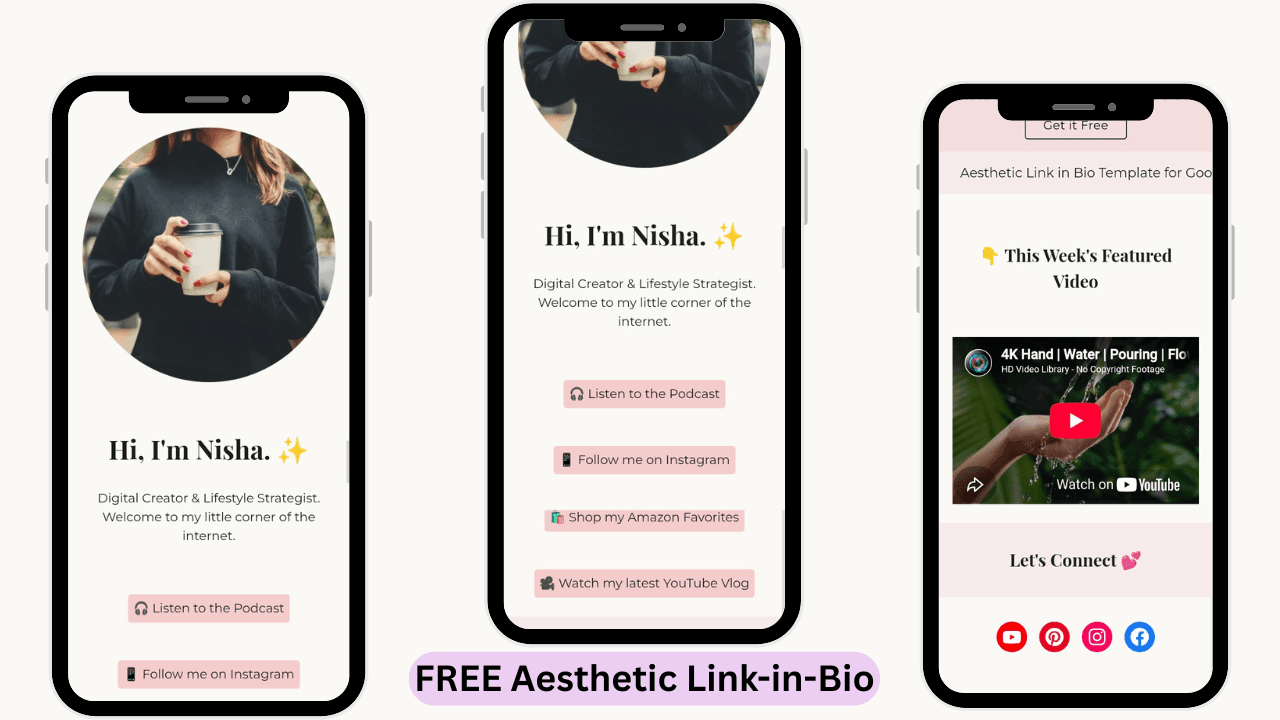
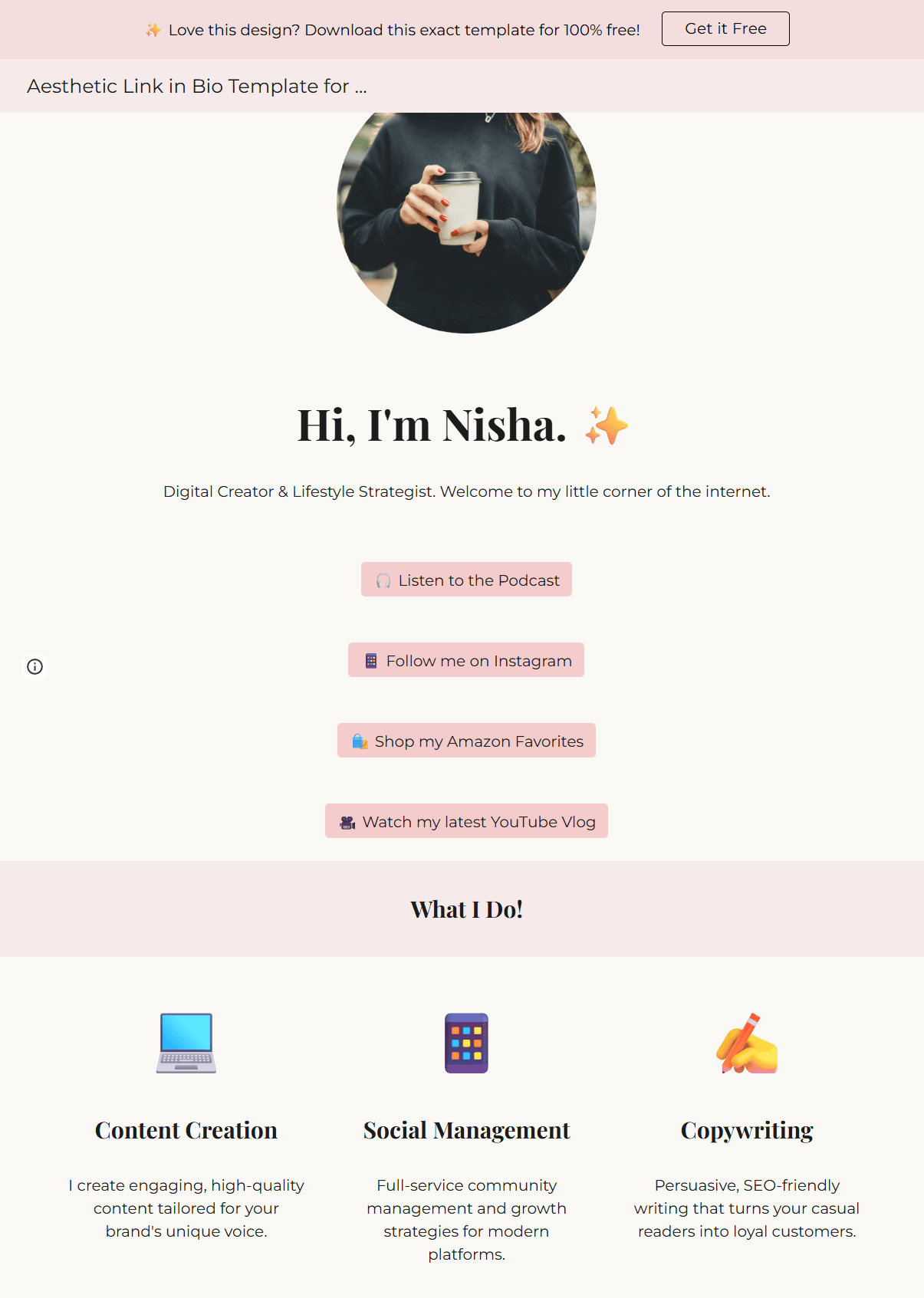
      <p>Upgrade your Instagram or Facebook profile with this stunning, mobile-perfect mini-website. Built entirely on Google Sites, you can host your links, videos, and contact info in one place for absolutely zero monthly fees.</p>
      <p class="price-text">Price: 100% FREE</p>
      
      <div class="btn-stack">
        <a href="PASTE_GUMROAD_LINK" target="_blank" class="btn-solid">Download via Gumroad</a>
        <a href="PASTE_LIVE_DEMO_LINK" target="_blank" class="btn-outline">View Live Demo</a>
      </div>
    </div>
  </div>

  <!-- VIDEO SECTION -->
  <div class="banner-title">Video Tutorial</div>
  <div style="padding: 0 20px;">
    <!-- REPLACE THIS PLACEHOLDER DIV WITH YOUR YOUTUBE EMBED CODE LATER -->
    <div class="post__iframe"><iframe loading="lazy" width="560" height="315" src="https://www.youtube.com/embed/duCHvbzBjvQ?si=0-94kZpKmiGWZ9op" title="YouTube video player" frameborder="0" allow="accelerometer; autoplay; clipboard-write; encrypted-media; gyroscope; picture-in-picture; web-share" referrerpolicy="strict-origin-when-cross-origin" allowfullscreen></iframe></div>
  </div>

  <!-- FEATURES SECTION -->
  <div class="banner-title">Why Choose this Template? (Features)</div>
  <div class="three-col-grid">
    <div class="grid-item">
      <div class="grid-icon">📱</div>
      <h3>Mobile-First Design</h3>
      <p>Over 90% of your audience is on their phone. Aesthetic link-in-bio template is meticulously designed to look like a premium native mobile app on any screen size.</p>
    </div>
    <div class="grid-item">
      <div class="grid-icon">💻</div>
      <h3>Zero Coding Required</h3>
      <p>If you can drag and drop, you can build this. Google Sites is the easiest website builder on the internet. No technical skills needed.</p>
    </div>
    <div class="grid-item">
      <div class="grid-icon">💸</div>
      <h3>100% Free Hosting</h3>
      <p>Say goodbye to monthly subscriptions. Because this runs on your free Google Drive account, your hosting costs are zero, forever.</p>
    </div>
  </div>

  <!-- STEPS SECTION -->
  <div class="banner-title">How to get your new website?</div>
  <div class="three-col-grid">
    <div class="grid-item">
      <div class="grid-icon">📥</div>
      <h3>1. Download</h3>
      <p>Click the download button to get your free PDF Instruction Guide delivered instantly.</p>
    </div>
    <div class="grid-item">
      <div class="grid-icon">🔗</div>
      <h3>2. Make a Copy</h3>
      <p>Open the PDF, click the secret link, and duplicate the master template directly into your own private Google Drive.</p>
    </div>
    <div class="grid-item">
      <div class="grid-icon">🎨</div>
      <h3>3. Customize</h3>
      <p>Swap our placeholder text and photos with your own, add your links, and hit publish!</p>
    </div>
  </div>

  <!-- UPSELL SECTION (GREEN BACKGROUND) -->
  <div class="upsell-banner">
    <h2>Too busy to customize it yourself?</h2>
    <p>Let us handle the heavy lifting! We can customize this entire template with your brand colors, photos, and links, and launch it for you in 48 hours for a small flat fee.</p>
    <a href="mailto:hello@simplesitesteps.com" class="btn-solid" style="display: inline-block; padding: 14px 30px;">Hire Us for Setup</a>
  </div>

  <!-- FAQ SECTION -->
  <div class="banner-title" style="margin-top: 0;">Frequently Asked Questions</div>
  <div class="faq-container">
    
    <details class="custom-faq">
      <summary>Is this template actually free?</summary>
      <div class="faq-answer">Yes, 100%! We operate on a "Pay What You Want" model on Gumroad. You can type $0 at checkout to download it completely for free. (There are also zero monthly hosting fees from Google Sites!).</div>
    </details>

    <details class="custom-faq">
      <summary>Do I need to know how to code?</summary>
      <div class="faq-answer">Not at all! Google Sites is one of the easiest drag-and-drop builders on the internet. If you can type on a keyboard and drag a photo onto a screen, you can customize this entire template in less than 10 minutes.</div>
    </details>

    <details class="custom-faq">
      <summary>Will I receive instructions on how to use it?</summary>
      <div class="faq-answer">Absolutely. Immediately after checkout, you will download a PDF Instruction Guide. It contains the secret access link and walks you step-by-step through duplicating the template, customizing the links, and hitting publish.</div>
    </details>

    <details class="custom-faq">
      <summary>Can I connect my own custom domain?</summary>
      <div class="faq-answer">Yes! While Google Sites gives you a free web link by default, you can easily connect your own custom `.com` domain in the settings to make your brand look like a true professional.</div>
    </details>

    <details class="custom-faq">
      <summary>Will you be able to see my private links or data?</summary>
      <div class="faq-answer">No, your privacy is 100% protected. When you click our template link, Google creates a completely brand-new, private copy directly into your own Google Drive. We cannot see your edits, your photos, or your data.</div>
    </details>

  </div>

</div>
</div>
            ]]>
        </content>
    </entry>
    <entry>
        <title>Premium Freelance Client Portal for Notion</title>
        <author>
            <name>Simple Site Steps</name>
        </author>
        <link href="https://simplesitesteps.com/notion-freelance-client-portal/"/>
        <id>https://simplesitesteps.com/notion-freelance-client-portal/</id>
        <media:content url="https://simplesitesteps.com/media/posts/19/Freelance-Client-Portal-Notion-Template-Cover.png" medium="image" />
            <category term="Tutorials"/>
            <category term="Notion Templates"/>

        <updated>2026-08-30T01:01:59+05:30</updated>
            <summary type="html">
                <![CDATA[
                        <img src="https://simplesitesteps.com/media/posts/19/Freelance-Client-Portal-Notion-Template-Cover.png" alt="" />
                    /* --- HIDE DEFAULT TITLE & FEATURED IMAGE --- */ .content__header, .content__title, .content__featured-image { display: none !important; } /* OVERRIDE&hellip;
                ]]>
            </summary>
        <content type="html">
            <![CDATA[
                    <p><img src="https://simplesitesteps.com/media/posts/19/Freelance-Client-Portal-Notion-Template-Cover.png" class="type:primaryImage" alt="" /></p>
                <div><style>
  /* --- HIDE DEFAULT TITLE & FEATURED IMAGE --- */
  .content__header, 
  .content__title, 
  .content__featured-image { 
      display: none !important; 
  }

  /* OVERRIDE GLOBAL SETTINGS: KEEP PAGE WIDE */
  .post__inner, .content__inner, .post__entry, .page__entry { 
      max-width: 1200px !important; 
  }
  /* --- GLOBAL VARIABLES & TYPOGRAPHY --- */
  :root {
    --dark-slate: #0C3647; /* Deep Navy/Slate color from screenshot */
    --accent-green: #1F8A4B; /* Green matching the title */
    --bg-grey: #F3F4F6;
    --text-grey: #4A4A4A;
  }
  .prod-page-wrapper { font-family: -apple-system, BlinkMacSystemFont, "Segoe UI", Roboto, Helvetica, Arial, sans-serif; color: #333333; line-height: 1.6; }
  
  /* --- MAIN HEADING --- */
  .main-heading { text-align: center; font-size: 2.8em; font-weight: 800; color: var(--dark-slate); margin: 0px 20px 60px 20px; line-height: 1.3; letter-spacing: -0.5px; }
  .text-green { color: var(--accent-green); }

  /* --- HERO SECTION (SPLIT) --- */
  .hero-flex { display: flex; flex-wrap: wrap; gap: 50px; align-items: center; max-width: 1200px; margin: 0 auto; padding: 0 20px 60px 20px; }
  .hero-img-col { flex: 1 1 450px; text-align: center; }
  .hero-img-col img { width: 100%; max-width: 600px; border-radius: 12px; box-shadow: 0 10px 30px rgba(0,0,0,0.08); object-fit: cover; }
  
  .hero-text-col { flex: 1 1 400px; text-align: left; }
  .hero-text-col h2 { font-size: 1.8em; color: var(--dark-slate); font-weight: 800; margin-bottom: 20px; line-height: 1.3; }
  .hero-text-col p { font-size: 1.05em; color: var(--text-grey); margin-bottom: 25px; line-height: 1.6; }
  .price-text { font-size: 1.15em; font-weight: 800; color: #000000; margin-bottom: 25px; }

  /* --- BUTTONS (PILL SHAPE & PADDING FIX) --- */
  .btn-stack { display: flex; flex-direction: column; gap: 15px; align-items: center; }
  .btn-solid { background-color: var(--dark-slate); color: #FFFFFF !important; padding: 14px 30px; border-radius: 50px; text-decoration: none; font-weight: bold; font-size: 1em; text-align: center; width: 300px; max-width: 100%; border: 2px solid var(--dark-slate); transition: 0.3s ease; box-sizing: border-box; }
  .btn-solid:hover { background-color: var(--accent-green); border-color: var(--accent-green); transform: translateY(-2px); box-shadow: 0 8px 20px rgba(31, 138, 75, 0.3); }
  
  .btn-outline { background-color: #FFFFFF; color: var(--dark-slate) !important; padding: 14px 30px; border-radius: 50px; text-decoration: none; font-weight: bold; font-size: 1em; text-align: center; width: 300px; max-width: 100%; border: 1px solid #CBD5E1; transition: 0.3s ease; box-sizing: border-box; }
  .btn-outline:hover { background-color: var(--bg-grey); border-color: var(--dark-slate); color: var(--dark-slate) !important; }

  /* --- SECTION WRAPPERS (FOR FULL-WIDTH BACKGROUNDS) --- */
  .section-wrapper { padding: 80px 20px; width: 100%; box-sizing: border-box; }
  .bg-grey { background-color: var(--bg-grey); border-top: 1px solid #E2E8F0; border-bottom: 1px solid #E2E8F0; }
  .bg-white { background-color: #FFFFFF; }

  .section-title { text-align: center; font-size: 2em; font-weight: 800; color: var(--dark-slate); margin-bottom: 50px; letter-spacing: -0.5px; }

  /* --- VIDEO PLACEHOLDER --- */
  .video-container { max-width: 800px; margin: 0 auto; padding-bottom: 60px; text-align: center; }
  .video-title { font-size: 1.8em; font-weight: 800; color: var(--dark-slate); margin-bottom: 30px; }
  .video-placeholder { width: 100%; height: 400px; background-color: #F1F5F9; border: 2px dashed #94A3B8; border-radius: 12px; display: flex; justify-content: center; align-items: center; color: #64748B; font-weight: bold; font-size: 1.2em; }

  /* --- GRIDS (4-COLUMN & 3-COLUMN) --- */
  .four-col-grid { display: flex; flex-wrap: wrap; gap: 30px; max-width: 1200px; margin: 0 auto; justify-content: center; text-align: center; }
  .grid-4-item { flex: 1 1 calc(25% - 30px); min-width: 220px; }
  
  .three-col-grid { display: flex; flex-wrap: wrap; gap: 40px; max-width: 1000px; margin: 0 auto; justify-content: center; text-align: center; }
  .grid-3-item { flex: 1 1 calc(33.333% - 40px); min-width: 250px; }

  .grid-icon { font-size: 2.2em; margin-bottom: 15px; }
  .grid-title { font-size: 1.2em; font-weight: 800; color: var(--dark-slate); margin-bottom: 15px; }
  .grid-desc { font-size: 0.95em; color: var(--text-grey); line-height: 1.6; }

  /* --- UPSELL SECTION --- */
  .upsell-desc { max-width: 800px; margin: 0 auto 30px auto; color: #4A4A4A; font-size: 1.05em; line-height: 1.6; text-align: center; }
  .upsell-btn { background-color: var(--dark-slate); color: #FFFFFF !important; padding: 14px 32px; border-radius: 6px; text-decoration: none; font-weight: bold; font-size: 1em; display: inline-block; transition: 0.3s; border: 2px solid var(--dark-slate); }
  .upsell-btn:hover { background-color: #082430; transform: translateY(-2px); box-shadow: 0 8px 20px rgba(12, 54, 71, 0.2); }

  /* --- FAQ SECTION --- */
  .faq-container { max-width: 800px; margin: 0 auto; text-align: left; }
  .custom-faq { border-bottom: 1px solid #CBD5E1; padding: 25px 0; cursor: pointer; transition: 0.3s ease; }
  .custom-faq:hover { border-color: var(--dark-slate); }
  .custom-faq summary { font-weight: bold; font-size: 1.15em; color: var(--dark-slate); outline: none; list-style: none; display: flex; justify-content: space-between; align-items: center; }
  .custom-faq summary::-webkit-details-marker { display: none; }
  .custom-faq summary::after { content: "⌵"; color: var(--dark-slate); font-size: 1.4em; font-weight: bold; transition: transform 0.3s ease; }
  .custom-faq[open] summary::after { transform: rotate(180deg); color: var(--dark-slate); }
  .faq-answer { margin-top: 15px; color: var(--text-grey); line-height: 1.7; font-size: 1em; padding-right: 30px; }

  /* --- MOBILE RESPONSIVE FIXES --- */
  @media (max-width: 768px) {
    .main-heading { font-size: 2.2em; margin-top: 20px; }
    .hero-flex { flex-direction: column; text-align: center; gap: 30px; padding-bottom: 30px; }
    .hero-img-col { order: -1; } /* Puts the image on top for mobile */
    .hero-text-col { text-align: center; }
    .section-title { font-size: 1.8em; }
    .video-placeholder { height: 250px; }
    .btn-solid, .btn-outline { width: 280px;}
  }
</style>

<div class="prod-page-wrapper">

  <!-- TOP TITLE -->
  <h1 class="main-heading"><span class="text-green">Premium</span> Freelance Client Portal for Notion</h1>

  <!-- HERO SECTION -->
  <div class="hero-flex">
    <div class="hero-img-col">
      <!-- PASTE YOUR MOCKUP URL BELOW -->
      <img loading="lazy" src="https://simplesitesteps.com/media/files/Freelance-Client-Portal-Notion-Template-Cover.png" alt="Freelance Client Portal Notion Template" data-is-external-image="true">
    </div>
    
    <div class="hero-text-col">
      <h2>Premium Freelance Client Portal for Notion</h2>
      <p>Stop sending your clients messy Google Drive links and confusing email threads. Elevate your freelance business with a world-class, drag-and-drop client dashboard. Onboard clients, track projects, and get paid faster.</p>
      <p class="price-text">Price: $5.00 (One-Time Payment)</p>
      
      <div class="btn-stack">
        <a href="PASTE_GUMROAD_LINK" target="_blank" class="btn-solid">Buy via Gumroad</a>
        <a href="PASTE_LIVE_DEMO_LINK" target="_blank" class="btn-outline">Live Demo</a>
      </div>
    </div>
  </div>

  <!-- VIDEO PLACEHOLDER SECTION -->
  <div class="video-container">
    <h2 class="video-title">Video Tutorial</h2>
    <!-- REPLACE THIS DIV WITH YOUR YOUTUBE IFRAME EMBED LATER -->
    <div class="video-placeholder">▶ Video Embed Placeholder</div>
  </div>

  <!-- FEATURES SECTION (4-COLUMN GREY) -->
  <div class="section-wrapper bg-grey">
    <h2 class="section-title">Everything you need to manage your clients</h2>
    <div class="four-col-grid">
      
      <div class="grid-4-item">
        <div class="grid-icon">📌</div>
        <h3 class="grid-title">Project Roadmap</h3>
        <p class="grid-desc">A drag-and-drop Kanban board so your client knows exactly what phase the project is in. No more "Are you done yet?" emails.</p>
      </div>

      <div class="grid-4-item">
        <div class="grid-icon">📦</div>
        <h3 class="grid-title">Deliverables Vault</h3>
        <p class="grid-desc">A beautiful, visual gallery where your client can securely view and download their final files, logos, and documents.</p>
      </div>

      <div class="grid-4-item">
        <div class="grid-icon">💳</div>
        <h3 class="grid-title">Invoices & Billing</h3>
        <p class="grid-desc">A mobile-optimized financial tracker. Clients can see exactly what they owe and click your payment links instantly.</p>
      </div>

      <div class="grid-4-item">
        <div class="grid-icon">🔗</div>
        <h3 class="grid-title">Centralized Links</h3>
        <p class="grid-desc">A dedicated space to house your contract links, Zoom meeting agendas, and onboarding questionnaires.</p>
      </div>

    </div>
  </div>

  <!-- SETUP STEPS (3-COLUMN WHITE) -->
  <div class="section-wrapper bg-white">
    <h2 class="section-title">How to Setup Your Template</h2>
    <div class="three-col-grid">
      
      <div class="grid-3-item">
        <div class="grid-icon">📥</div>
        <h3 class="grid-title">1. Instant Access</h3>
        <p class="grid-desc">Complete your secure checkout on Gumroad and instantly download the PDF Instruction Guide.</p>
      </div>

      <div class="grid-3-item">
        <div class="grid-icon">📋</div>
        <h3 class="grid-title">2. Duplicate to Notion</h3>
        <p class="grid-desc">Click the secret link inside the PDF and hit "Duplicate" to save the master portal to your own private Notion workspace.</p>
      </div>

      <div class="grid-3-item">
        <div class="grid-icon">🤝</div>
        <h3 class="grid-title">3. Share with Clients</h3>
        <p class="grid-desc">Add your client's name, update the invoice links, and publish a view-only link to share with them securely!</p>
      </div>

    </div>
  </div>

  <!-- FAQ SECTION (GREY) -->
  <div class="section-wrapper bg-grey">
    <h2 class="section-title">FAQ (Frequently Asked Questions)</h2>
    <div class="faq-container">
      
      <details class="custom-faq">
        <summary>Is this a monthly subscription?</summary>
        <div class="faq-answer">Absolutely not! This is a one-time purchase of $5.00. Once you download the template, it is yours forever. You can duplicate it as many times as you want for unlimited future clients.</div>
      </details>

      <details class="custom-faq">
        <summary>Do I need a paid Notion account to use this?</summary>
        <div class="faq-answer">Nope! We designed this template to work perfectly on Notion's 100% free "Personal" plan.</div>
      </details>

      <details class="custom-faq">
        <summary>Will my client be able to see my other private Notion pages?</summary>
        <div class="faq-answer">No, your privacy is completely safe. When you share this specific portal link with a client, they can only see this one page. The rest of your Notion workspace remains 100% invisible and locked.</div>
      </details>

      <details class="custom-faq">
        <summary>Do you offer refunds?</summary>
        <div class="faq-answer">No. Because this is a digital product that grants instant access to the master template, all sales are final. If you have any questions before buying, feel free to email us at hello@simplesitesteps.com.</div>
      </details>

    </div>
  </div>

  <!-- UPSELL BANNER (LIGHT GREY) -->
  <div class="section-wrapper" style="background-color: #F4F5F4; text-align: center;">
    <h2 class="upsell-title">Need a website for your new content?</h2>
    <p class="upsell-desc">Now that your content is organized, you need a beautiful place to show it off! Don't pay for Linktree or Wix. Download our 100% free, aesthetic Google Sites templates today.</p>
    <a href="PASTE_SHOP_LINK_HERE" class="upsell-btn">Shop Website Templates</a>
  </div>

</div>
</div>
            ]]>
        </content>
    </entry>
    <entry>
        <title>Notion Content Planner Template for Creators</title>
        <author>
            <name>Simple Site Steps</name>
        </author>
        <link href="https://simplesitesteps.com/notion-content-planner-template-creators/"/>
        <id>https://simplesitesteps.com/notion-content-planner-template-creators/</id>
        <media:content url="https://simplesitesteps.com/media/posts/18/Notion-Template-New-Cover-Image.png" medium="image" />
            <category term="Tutorials"/>
            <category term="Notion Templates"/>

        <updated>2026-08-30T01:00:47+05:30</updated>
            <summary type="html">
                <![CDATA[
                        <img src="https://simplesitesteps.com/media/posts/18/Notion-Template-New-Cover-Image.png" alt="" />
                    /* --- HIDE DEFAULT TITLE & FEATURED IMAGE --- */ .content__header, .content__title, .content__featured-image { display: none !important; } /* OVERRIDE&hellip;
                ]]>
            </summary>
        <content type="html">
            <![CDATA[
                    <p><img src="https://simplesitesteps.com/media/posts/18/Notion-Template-New-Cover-Image.png" class="type:primaryImage" alt="" /></p>
                <div><style>
  /* --- HIDE DEFAULT TITLE & FEATURED IMAGE --- */
  .content__header, 
  .content__title, 
  .content__featured-image { 
      display: none !important; 
  }

  /* OVERRIDE GLOBAL SETTINGS: KEEP PAGE WIDE */
  .post__inner, .content__inner, .post__entry, .page__entry { 
      max-width: 1200px !important; 
  }

  /* --- GLOBAL STYLES --- */
  .prod-page-wrapper {
    font-family: -apple-system, BlinkMacSystemFont, "Segoe UI", Roboto, Helvetica, Arial, sans-serif;
    color: #333333;
    max-width: 1200px;
    margin: 0 auto;
    padding-bottom: 60px;
    line-height: 1.6;
  }

  /* BRAND COLORS */
  :root {
    --dark-slate: #0C3647; /* Matches the dark blue text */
    --accent-green: #1F8A4B; /* Matches the "Free" text */
    --light-grey: #F3F4F6;
    --light-green: #DCEFE2;
  }

  /* --- TOP HEADER --- */
  .main-heading {
    text-align: center;
    font-size: 3em;
    font-weight: 800;
    color: var(--dark-slate);
    margin: 0px 20px 60px 20px;
    line-height: 1.2;
  }
  .text-green { color: var(--accent-green); }

  /* --- HERO SECTION (SPLIT) --- */
  .hero-flex {
    display: flex;
    flex-wrap: wrap;
    align-items: center;
    gap: 50px;
    padding: 0 20px;
    margin-bottom: 60px;
  }
  .hero-img-col { flex: 1 1 400px; text-align: center; }
  .hero-img-col img { width: 100%; max-width: 450px; border-radius: 8px; box-shadow: 0 4px 20px rgba(0,0,0,0.08); }
  
  .hero-text-col { flex: 1 1 400px; }
  .hero-text-col h2 { font-size: 2.2em; color: var(--dark-slate); font-weight: 800; margin-bottom: 20px; line-height: 1.2; }
  .hero-text-col p { font-size: 1.05em; margin-bottom: 25px; color: #4A4A4A; }
  .price-text { font-size: 1.1em; font-weight: bold; color: #000; margin-bottom: 20px; }

  /* BUTTONS (STACKED) */
  .btn-stack { display: flex; flex-direction: column; gap: 15px; align-items: center; }
  
  .btn-solid { background-color: var(--dark-slate); color: #FFF !important; text-align: center; padding: 14px 30px; width: 100%; max-width: 300px; box-sizing: border-box; font-weight: bold; font-size: 1em; border-radius: 50px; text-decoration: none; border: 2px solid var(--dark-slate); transition: 0.2s; }
  .btn-solid:hover { background-color: #082430; border-color: #082430; }
  
  .btn-outline { background-color: #FFF; color: var(--dark-slate) !important; text-align: center; padding: 14px 30px; width: 100%; max-width: 300px; box-sizing: border-box; font-weight: bold; font-size: 1em; border-radius: 50px; text-decoration: none; border: 1px solid #A0AAB2; transition: 0.2s; }
  .btn-outline:hover { border-color: var(--dark-slate); background-color: #F8F9FA; }

  /* --- BANNER TITLES --- */
  .banner-title {
    background-color: var(--light-grey);
    text-align: center;
    padding: 30px 20px;
    font-size: 1.5em;
    font-weight: bold;
    color: var(--dark-slate);
    margin: 40px 0;
  }

  /* --- VIDEO PLACEHOLDER --- */
  .video-placeholder {
    width: 100%;
    max-width: 800px;
    height: 400px;
    margin: 0 auto;
    background-color: #FFFFFF;
    border: 2px dashed #CBD5E1;
    display: flex;
    justify-content: center;
    align-items: center;
    color: #94A3B8;
    font-weight: bold;
    border-radius: 8px;
  }

  /* --- 3-COLUMN GRIDS --- */
  .three-col-grid {
    display: flex;
    flex-wrap: wrap;
    gap: 30px;
    padding: 0 20px;
    margin-bottom: 60px;
    text-align: center;
  }
  .grid-item { flex: 1 1 250px; }
  .grid-icon { font-size: 3em; margin-bottom: 15px; }
  .grid-item h3 { font-size: 1.4em; color: var(--dark-slate); font-weight: 800; margin-bottom: 15px; }
  .grid-item p { color: #4A4A4A; font-size: 0.95em; }

  /* --- UPSELL BANNER (GREEN) --- */
  .upsell-banner {
    background-color: var(--light-green);
    text-align: center;
    padding: 60px 20px;
    margin: 60px 0;
  }
  .upsell-banner h2 { font-size: 1.8em; color: var(--dark-slate); font-weight: bold; margin-bottom: 15px; }
  .upsell-banner p { max-width: 700px; margin: 0 auto 30px auto; color: #2D2D2D; font-size: 1.05em; }
  
  /* --- FAQ SECTION --- */
  .faq-container { padding: 0 20px; max-width: 800px; margin: 0 auto; }
  .custom-faq { background-color: #FFFFFF; border: 1px solid #E2E8F0; border-radius: 8px; margin-bottom: 15px; padding: 18px 25px; transition: 0.2s ease; cursor: pointer; }
  .custom-faq:hover { border-color: var(--dark-slate); }
  .custom-faq summary { font-weight: bold; font-size: 1.1em; color: var(--dark-slate); outline: none; list-style: none; display: flex; justify-content: space-between; align-items: center; }
  .custom-faq summary::-webkit-details-marker { display: none; }
  .custom-faq summary::after { content: "+"; color: var(--accent-green); font-size: 1.5em; font-weight: bold; transition: 0.3s; }
  .custom-faq[open] summary::after { transform: rotate(45deg); color: var(--dark-slate); }
  .faq-answer { margin-top: 15px; color: #4A4A4A; line-height: 1.6; font-size: 0.95em; border-top: 1px solid #EFEBE4; padding-top: 15px; }

  /* --- MOBILE RESPONSIVE --- */
  @media (max-width: 768px) {
    .main-heading { font-size: 2.2em; margin-top: 30px; }
    .hero-flex { flex-direction: column; text-align: center; gap: 30px; }
    .hero-img-col { order: -1; } /* Image on top */
    .hero-text-col h2 { font-size: 1.8em; }
    .banner-title { font-size: 1.3em; padding: 20px; }
    .video-placeholder { height: 250px; }
  }
</style>

<div class="prod-page-wrapper">

  <!-- TOP TITLE -->
  <h1 class="main-heading"><span class="text-green">Notion</span> Content Planner Template for Creators</h1>

  <!-- HERO SECTION -->
  <div class="hero-flex">
    <div class="hero-img-col">
      <!-- PASTE YOUR IMAGE URL BELOW -->
      <img loading="lazy" src="https://simplesitesteps.com/media/files/Notion-Template-New-Cover-Image.png" alt="Aesthetic Link in Bio Template" data-is-external-image="true">
    </div>
    
    <div class="hero-text-col">
      <h2>Notion Content Planner Template for Creators</h2>
      <p>Stop losing your content ideas in messy notebooks. The "Simple Content Tracker" is a free, aesthetic Notion dashboard that organizes your YouTube, Facebook, and Instagram posts from Idea to Published.</p>
      <p class="price-text">Price: 100% FREE</p>
      
      <div class="btn-stack">
        <a href="PASTE_GUMROAD_LINK" target="_blank" class="btn-solid">Download via Gumroad</a>
        <a href="PASTE_LIVE_DEMO_LINK" target="_blank" class="btn-outline">View Live Demo</a>
      </div>
    </div>
  </div>

  <!-- VIDEO SECTION -->
  <div class="banner-title">Video Tutorial</div>
  <div style="padding: 0 20px;">
    <!-- REPLACE THIS PLACEHOLDER DIV WITH YOUR YOUTUBE EMBED CODE LATER -->
    <div class="video-placeholder">Video Embed Placeholder</div>
  </div>

  <!-- FEATURES SECTION -->
  <div class="banner-title">What's Inside? (The Features)</div>
  <div class="three-col-grid">
    <div class="grid-item">
      <div class="grid-icon">💡</div>
      <h3>Idea Vault Inbox</h3>
      <p>Have a random content idea at 2 AM? Dump it into the idea vault inbox so you never lose a spark of inspiration again.</p>
    </div>
    <div class="grid-item">
      <div class="grid-icon">🎬</div>
      <h3>Drag-and-Drop Pipeline</h3>
      <p>Visually track your progress. Drag your content cards through 5 simple stages: Ideas, Scripting, Creating, Editing, and Published!</p>
    </div>
    <div class="grid-item">
      <div class="grid-icon">📱</div>
      <h3>Mobile-Optimized View</h3>
      <p>Hate scrolling horizontally on your phone? This template includes a custom "Gallery View" tab so it stacks beautifully like a native mobile app.</p>
    </div>
  </div>

  <!-- STEPS SECTION -->
  <div class="banner-title">How to Install Your Template</div>
  <div class="three-col-grid">
    <div class="grid-item">
      <div class="grid-icon">🛒</div>
      <h3>1. Get the Link</h3>
      <p>Click the download button above to get your free PDF guide with the secret access link.</p>
    </div>
    <div class="grid-item">
      <div class="grid-icon">📝</div>
      <h3>2. Duplicate It</h3>
      <p>Open the link and click "Duplicate" in the top right corner. Notion will instantly save a private copy to your own workspace.</p>
    </div>
    <div class="grid-item">
      <div class="grid-icon">🚀</div>
      <h3>3. Start Planning</h3>
      <p>Delete the example data, add your own video ideas, change the platform tags, and start organizing your creator business!</p>
    </div>
  </div>

  <!-- UPSELL SECTION (GREEN BACKGROUND) -->
  <div class="upsell-banner">
    <h2>Too busy to customize it yourself?</h2>
    <p>Let us handle the heavy lifting! We can customize this entire template with your brand colors, photos, and links, and launch it for you in 48 hours for a small flat fee.</p>
    <a href="mailto:hello@simplesitesteps.com" class="btn-solid" style="display: inline-block; padding: 14px 30px;">Hire Us for Setup</a>
  </div>

  <!-- FAQ SECTION -->
  <div class="banner-title" style="margin-top: 0;">Frequently Asked Questions</div>
  <div class="faq-container">
    
    <details class="custom-faq">
      <summary>Do I need a paid Notion account to use this?</summary>
      <div class="faq-answer">Nope! This template is designed to work perfectly on Notion's 100% free "Personal" plan.</div>
    </details>

    <details class="custom-faq">
      <summary>I am new to Notion. Is this hard to use?</summary>
      <div class="faq-answer">Not at all. We specifically designed this to be a "Micro-Template." There are no complex formulas or confusing coding. It is a simple, beautiful, drag-and-drop board that anyone can use within 60 seconds.</div>
    </details>

    <details class="custom-faq">
      <summary>Can I change the colors and tags?</summary>
      <div class="faq-answer">Absolutely! Once you duplicate the template, it is 100% yours. You can add new platforms (like a Podcast or Blog tag), change the cover photo, and customize it to match your brand vibe.</div>
    </details>

    <details class="custom-faq">
      <summary>Will you or anyone else be able to see my content ideas?</summary>
      <div class="faq-answer">No, your ideas are 100% private! When you click "Duplicate," Notion creates a completely separate, secure copy of the template and places it directly into your personal workspace. We do not have access to your account, so your content ideas, scripts, and notes are completely hidden from us and the rest of the public.</div>
    </details>

  </div>

</div></div>
            ]]>
        </content>
    </entry>
    <entry>
        <title>Best Coaching &amp; Consulting Website Template for Wix Studio - The Aetora</title>
        <author>
            <name>Simple Site Steps</name>
        </author>
        <link href="https://simplesitesteps.com/wix-studio-coaching-consulting-template/"/>
        <id>https://simplesitesteps.com/wix-studio-coaching-consulting-template/</id>
        <media:content url="https://simplesitesteps.com/media/posts/1/The-Aetora-Coaching-and-Consulting-Website-Template-for-Wix-Studio-2.png" medium="image" />
            <category term="Wix Studio Templates"/>
            <category term="Tutorials"/>

        <updated>2026-08-30T00:49:33+05:30</updated>
            <summary type="html">
                <![CDATA[
                        <img src="https://simplesitesteps.com/media/posts/1/The-Aetora-Coaching-and-Consulting-Website-Template-for-Wix-Studio-2.png" alt="" />
                    /* --- HIDE DEFAULT TITLE & FEATURED IMAGE --- */ .content__header, .content__title, .content__featured-image { display: none !important; } /* OVERRIDE&hellip;
                ]]>
            </summary>
        <content type="html">
            <![CDATA[
                    <p><img src="https://simplesitesteps.com/media/posts/1/The-Aetora-Coaching-and-Consulting-Website-Template-for-Wix-Studio-2.png" class="type:primaryImage" alt="" /></p>
                <div><style>
/* --- HIDE DEFAULT TITLE & FEATURED IMAGE --- */
  .content__header, 
  .content__title, 
  .content__featured-image { 
      display: none !important; 
  }

  /* OVERRIDE GLOBAL SETTINGS: KEEP PAGE WIDE */
  .post__inner, .content__inner, .post__entry, .page__entry { 
      max-width: 1200px !important; 
  }

  /* --- GLOBAL VARIABLES & TYPOGRAPHY --- */
  :root {
    --dark-slate: #0C3647; 
    --accent-green: #1F8A4B; 
    --bg-grey: #F8F9FA;
    --bg-green: #DCEFE2;
    --text-grey: #4A4A4A;
  }
  .prod-page-wrapper { font-family: -apple-system, BlinkMacSystemFont, "Segoe UI", Roboto, Helvetica, Arial, sans-serif; color: #333333; line-height: 1.6; }
  
  /* --- MAIN HEADING --- */
  .main-heading { text-align: center; font-size: 2.8em; font-weight: 800; color: var(--dark-slate); margin: 0px 20px 60px 20px; line-height: 1.3; letter-spacing: -0.5px; }
  .text-green { color: var(--accent-green); }

  /* --- HERO SECTION --- */
  .hero-flex { display: flex; flex-wrap: wrap; gap: 50px; align-items: center; max-width: 1200px; margin: 0 auto; padding: 0 20px 60px 20px; }
  .hero-img-col { flex: 1 1 450px; text-align: center; }
  .hero-img-col img { width: 100%; max-width: 600px; border-radius: 12px; box-shadow: 0 10px 30px rgba(0,0,0,0.08); object-fit: cover; }
  
  .hero-text-col { flex: 1 1 400px; text-align: left; }
  .hero-text-col h2 { font-size: 1.8em; color: var(--dark-slate); font-weight: 800; margin-bottom: 20px; line-height: 1.3; }
  .hero-text-col p { font-size: 1.05em; color: var(--text-grey); margin-bottom: 25px; line-height: 1.6; }
  .price-text { font-size: 1.15em; font-weight: 800; color: #000000; margin-bottom: 25px; }

  /* --- BUTTONS (PILL SHAPE & PADDING FIX) --- */
  .btn-stack { display: flex; flex-direction: column; gap: 15px; }
  .btn-solid { background-color: var(--dark-slate); color: #FFFFFF !important; padding: 14px 30px; border-radius: 50px; text-decoration: none; font-weight: bold; font-size: 1em; text-align: center; width: 100%; max-width: 350px; border: 2px solid var(--dark-slate); transition: 0.3s ease; box-sizing: border-box; }
  .btn-solid:hover { background-color: var(--accent-green); border-color: var(--accent-green); transform: translateY(-2px); box-shadow: 0 8px 20px rgba(31, 138, 75, 0.3); }
  
  .btn-outline { background-color: #FFFFFF; color: var(--dark-slate) !important; padding: 14px 30px; border-radius: 50px; text-decoration: none; font-weight: bold; font-size: 1em; text-align: center; width: 100%; max-width: 350px; border: 1px solid #CBD5E1; transition: 0.3s ease; box-sizing: border-box; }
  .btn-outline:hover { background-color: var(--bg-grey); border-color: var(--dark-slate); }

  /* --- SECTION WRAPPERS (FOR FULL-WIDTH BACKGROUNDS) --- */
  .section-wrapper { padding: 80px 20px; width: 100%; box-sizing: border-box; }
  .bg-grey { background-color: var(--bg-grey); border-top: 1px solid #E2E8F0; border-bottom: 1px solid #E2E8F0; }
  .bg-white { background-color: #FFFFFF; }
  .bg-green { background-color: var(--bg-green); text-align: center; }

  .section-title { text-align: center; font-size: 2em; font-weight: 800; color: var(--dark-slate); margin-bottom: 50px; letter-spacing: -0.5px; }

  /* --- VIDEO PLACEHOLDER --- */
  .video-container { max-width: 800px; margin: 0 auto; padding-bottom: 60px; }
  .video-title { text-align: center; font-size: 1.8em; font-weight: 800; color: var(--dark-slate); margin-bottom: 30px; }
  .video-placeholder { width: 100%; height: 400px; background-color: #F1F5F9; border: 2px dashed #94A3B8; border-radius: 12px; display: flex; justify-content: center; align-items: center; color: #64748B; font-weight: bold; font-size: 1.2em; }

  /* --- GRIDS (4-COLUMN & 3-COLUMN) --- */
  .four-col-grid { display: flex; flex-wrap: wrap; gap: 30px; max-width: 1200px; margin: 0 auto; justify-content: center; text-align: center; }
  .grid-4-item { flex: 1 1 calc(25% - 30px); min-width: 220px; }
  
  .three-col-grid { display: flex; flex-wrap: wrap; gap: 40px; max-width: 1000px; margin: 0 auto; justify-content: center; text-align: center; }
  .grid-3-item { flex: 1 1 calc(33.333% - 40px); min-width: 250px; }

  .grid-icon { font-size: 2.5em; margin-bottom: 15px; }
  .grid-title { font-size: 1.2em; font-weight: 800; color: var(--dark-slate); margin-bottom: 15px; }
  .grid-desc { font-size: 0.95em; color: var(--text-grey); line-height: 1.6; }

  /* --- UPSELL SECTION --- */
  .upsell-title { font-size: 2em; color: var(--dark-slate); font-weight: 800; margin-bottom: 20px; }
  .upsell-desc { max-width: 800px; margin: 0 auto 30px auto; color: #2D2D2D; font-size: 1.1em; line-height: 1.6; }
  .upsell-btn { background-color: var(--dark-slate); color: #FFFFFF !important; padding: 16px 36px; border-radius: 50px; text-decoration: none; font-weight: bold; font-size: 1.05em; display: inline-block; transition: 0.3s; border: 2px solid var(--dark-slate); }
  .upsell-btn:hover { background-color: transparent; color: var(--dark-slate) !important; }

  /* --- FAQ SECTION --- */
  .faq-container { max-width: 800px; margin: 0 auto; text-align: left; }
  .custom-faq { border-bottom: 1px solid #CBD5E1; padding: 25px 0; cursor: pointer; transition: 0.3s ease; }
  .custom-faq summary { font-weight: 800; font-size: 1.15em; color: var(--dark-slate); outline: none; list-style: none; display: flex; justify-content: space-between; align-items: center; }
  .custom-faq summary::-webkit-details-marker { display: none; }
  .custom-faq summary::after { content: "⌵"; color: var(--dark-slate); font-size: 1.4em; font-weight: bold; transition: transform 0.3s ease; }
  .custom-faq[open] summary::after { transform: rotate(180deg); color: var(--accent-green); }
  .faq-answer { margin-top: 15px; color: var(--text-grey); line-height: 1.7; font-size: 1em; padding-right: 30px; }

  /* --- MOBILE RESPONSIVE FIXES --- */
  @media (max-width: 768px) {
    .main-heading { font-size: 2.2em; margin-top: 20px; }
    .hero-flex { flex-direction: column; text-align: center; gap: 30px; padding-bottom: 30px; }
    .hero-img-col { order: -1; } /* Puts the image on top for mobile */
    .hero-text-col { text-align: center; }
    .btn-stack { align-items: center; } /* Centers buttons on mobile */
    .section-title { font-size: 1.8em; }
    .video-placeholder { height: 250px; }
  }
</style>

<div class="prod-page-wrapper">

  <!-- TOP TITLE -->
  <h1 class="main-heading"><span class="text-green">The Aetora</span> - Best Coaching & Consulting Website Template for Wix Studio</h1>

  <!-- HERO SECTION -->
  <div class="hero-flex">
    <div class="hero-img-col">
      <!-- PASTE YOUR CANVA MOCKUP URL BELOW -->
      <img loading="lazy" src="https://simplesitesteps.com/media/files/The-Aetora-Coaching-and-Consulting-Website-Template-for-Wix-Studio.png" alt="The Aetora Wix Studio Template" data-is-external-image="true">
    </div>
    
    <div class="hero-text-col">
      <h2>The Aetora: Coaching & Consulting Website Template for Wix Studio</h2>
      <p>Stop losing high-ticket clients to an outdated website. The Aetora is a luxurious, mobile-perfect website template engineered to help life coaches, consultants, and agencies elevate their brand and book more clients.</p>
      <p class="price-text">Price: $15.00 (One-Time Payment)</p>
      
      <div class="btn-stack">
        <a href="PASTE_GUMROAD_LINK" target="_blank" class="btn-solid">Buy via Gumroad</a>
        <a href="PASTE_LIVE_DEMO_LINK" target="_blank" class="btn-outline">Live Demo</a>
      </div>
    </div>
  </div>

  <!-- VIDEO PLACEHOLDER SECTION -->
  <div class="video-container">
    <h2 class="video-title">Video Tutorial</h2>
    <!-- REPLACE THIS DIV WITH YOUR YOUTUBE IFRAME EMBED LATER -->
    <div class="video-placeholder">▶ Video Embed Placeholder</div>
  </div>

  <!-- FEATURES SECTION (4-COLUMN GREY) -->
  <div class="section-wrapper bg-grey">
    <h2 class="section-title">Everything you need to scale your coaching business.</h2>
    <div class="four-col-grid">
      
      <div class="grid-4-item">
        <div class="grid-icon">🏠</div>
        <h3 class="grid-title">Strategic Home Page</h3>
        <p class="grid-desc">A high-converting landing page featuring a luxury hero banner, a "featured-in" social proof bar, and a dedicated client testimonial section.</p>
      </div>

      <div class="grid-4-item">
        <div class="grid-icon">📖</div>
        <h3 class="grid-title">Authority 'About' Page</h3>
        <p class="grid-desc">A story-driven page designed with beautiful typography and plenty of white space to build deep trust with your audience.</p>
      </div>

      <div class="grid-4-item">
        <div class="grid-icon">💳</div>
        <h3 class="grid-title">3-Tier Sales Page</h3>
        <p class="grid-desc">A psychology-backed "Coaching Programs" page featuring a 3-tier pricing layout to seamlessly upsell your premium services.</p>
      </div>

      <div class="grid-4-item">
        <div class="grid-icon">✉️</div>
        <h3 class="grid-title">Lead Capture Funnel</h3>
        <p class="grid-desc">A clean, distraction-free contact page optimized to capture high-quality client applications.</p>
      </div>

    </div>
  </div>

  <!-- SETUP STEPS (3-COLUMN WHITE) -->
  <div class="section-wrapper bg-white">
    <h2 class="section-title">How to Setup Your Template</h2>
    <div class="three-col-grid">
      
      <div class="grid-3-item">
        <div class="grid-icon">📥</div>
        <h3 class="grid-title">1. Download & Unzip</h3>
        <p class="grid-desc">After checkout, you will receive a .zip folder. Download it to your computer and double-click to extract the files inside.</p>
      </div>

      <div class="grid-3-item">
        <div class="grid-icon">🪄</div>
        <h3 class="grid-title">2. Run the Installer</h3>
        <p class="grid-desc">Open the folder and click the "Installation File." Your browser will automatically open and securely duplicate the entire website into your Wix Studio account!</p>
      </div>

      <div class="grid-3-item">
        <div class="grid-icon">🎨</div>
        <h3 class="grid-title">3. Customize & Launch</h3>
        <p class="grid-desc">Use the Wix Studio editor to swap out the colors, fonts, and photos to match your brand. Connect your custom domain and go live!</p>
      </div>

    </div>
  </div>

  <!-- FAQ SECTION (GREY) -->
  <div class="section-wrapper bg-grey">
    <h2 class="section-title">FAQ (Frequently Asked Questions)</h2>
    <div class="faq-container">
      
      <details class="custom-faq">
        <summary>Do I need a Wix Studio account?</summary>
        <div class="faq-answer">Yes! Wix Studio is 100% free to sign up and use to edit your site. You will only need to pay Wix's standard hosting plan fee when you are ready to connect your custom .com domain and officially launch.</div>
      </details>

      <details class="custom-faq">
        <summary>Can I change the colors and fonts?</summary>
        <div class="faq-answer">Absolutely. We built this template using Wix Studio's "Global Site Styles." This means you can update the brand colors and typography in one menu, and it will magically update across the entire website instantly!</div>
      </details>

      <details class="custom-faq">
        <summary>Is this template mobile-friendly?</summary>
        <div class="faq-answer">Yes! We spent hours meticulously adjusting the layout for Desktop, Tablet, and Mobile breakpoints so your website looks like a flawless native app on every single device.</div>
      </details>

      <details class="custom-faq">
        <summary>What is your refund policy?</summary>
        <div class="faq-answer">Because this is a premium digital asset that is instantly transferred to your account, all sales are final and non-refundable. If you have questions before buying, please email us!</div>
      </details>

    </div>
  </div>

  <!-- UPSELL BANNER (GREEN) -->
  <div class="section-wrapper bg-green">
    <h2 class="upsell-title">Too busy to customize this yourself?</h2>
    <p class="upsell-desc">Let our design studio handle the heavy lifting! We can customize this template with your exact brand colors, photos, and copy, and connect your domain for a flat fee.</p>
    <a href="mailto:hello@simplesitesteps.com" class="upsell-btn">Hire Us for Custom Setup</a>
  </div>

</div>
</div>
            ]]>
        </content>
    </entry>
</feed>