Notion Content Planner Template for Creators
Notion Content Planner Template for Creators
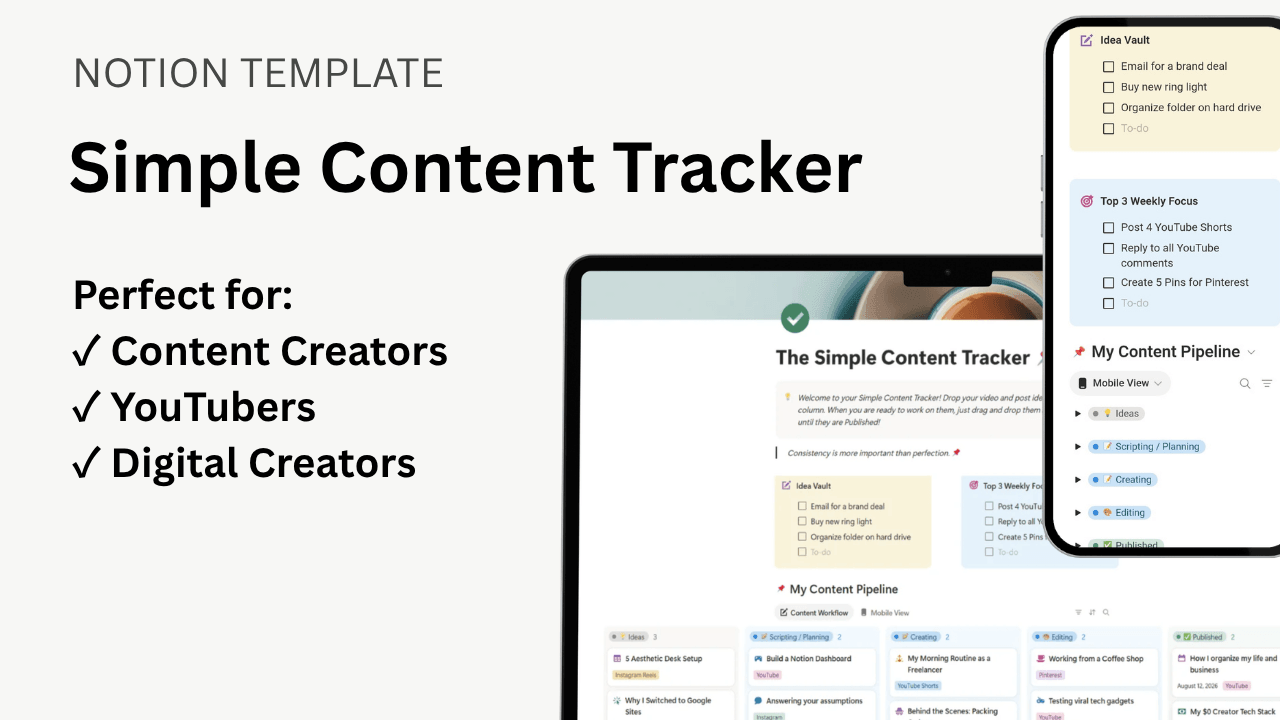
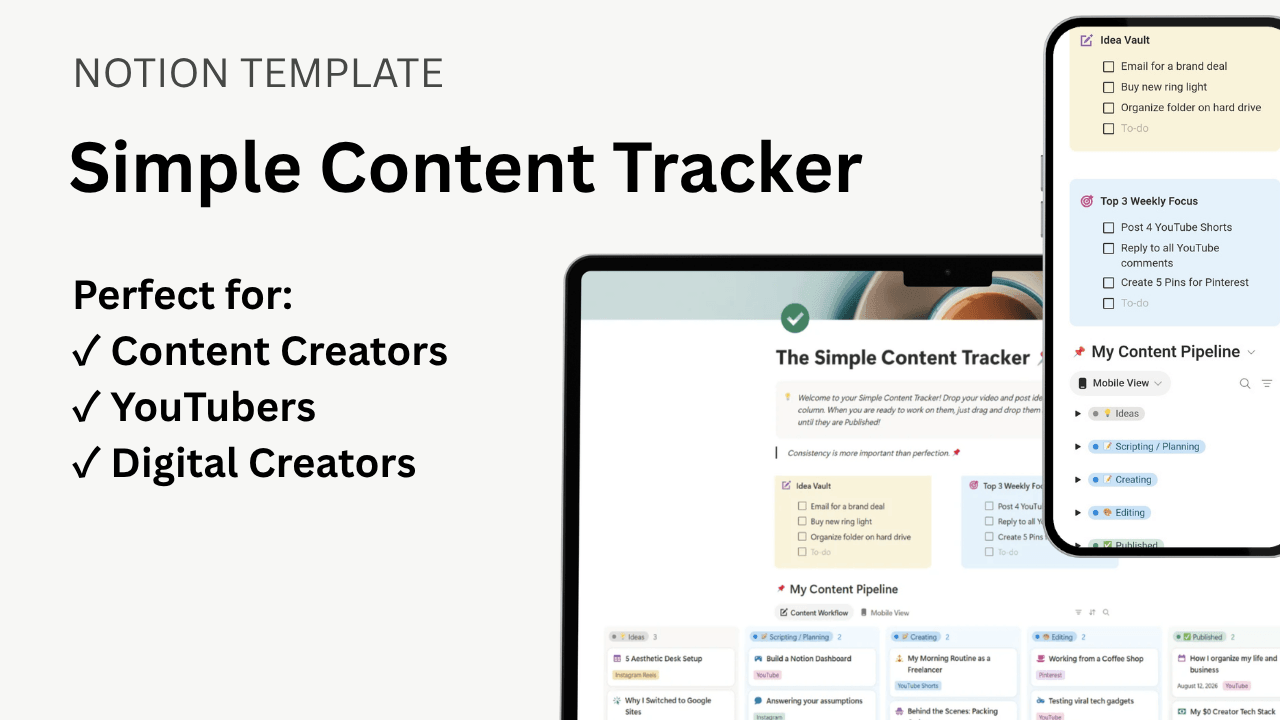
Stop losing your content ideas in messy notebooks. The "Simple Content Tracker" is a free, aesthetic Notion dashboard that organizes your YouTube, Facebook, and Instagram posts from Idea to Published.
Price: 100% FREE
Video Tutorial
What's Inside? (The Features)
💡
Idea Vault Inbox
Have a random content idea at 2 AM? Dump it into the idea vault inbox so you never lose a spark of inspiration again.
🎬
Drag-and-Drop Pipeline
Visually track your progress. Drag your content cards through 5 simple stages: Ideas, Scripting, Creating, Editing, and Published!
📱
Mobile-Optimized View
Hate scrolling horizontally on your phone? This template includes a custom "Gallery View" tab so it stacks beautifully like a native mobile app.
How to Install Your Template
🛒
1. Get the Link
Click the download button above to get your free PDF guide with the secret access link.
📝
2. Duplicate It
Open the link and click "Duplicate" in the top right corner. Notion will instantly save a private copy to your own workspace.
🚀
3. Start Planning
Delete the example data, add your own video ideas, change the platform tags, and start organizing your creator business!
Too busy to customize it yourself?
Let us handle the heavy lifting! We can customize this entire template with your brand colors, photos, and links, and launch it for you in 48 hours for a small flat fee.
Hire Us for SetupFrequently Asked Questions
Do I need a paid Notion account to use this?
Nope! This template is designed to work perfectly on Notion's 100% free "Personal" plan.
I am new to Notion. Is this hard to use?
Not at all. We specifically designed this to be a "Micro-Template." There are no complex formulas or confusing coding. It is a simple, beautiful, drag-and-drop board that anyone can use within 60 seconds.
Can I change the colors and tags?
Absolutely! Once you duplicate the template, it is 100% yours. You can add new platforms (like a Podcast or Blog tag), change the cover photo, and customize it to match your brand vibe.
Will you or anyone else be able to see my content ideas?
No, your ideas are 100% private! When you click "Duplicate," Notion creates a completely separate, secure copy of the template and places it directly into your personal workspace. We do not have access to your account, so your content ideas, scripts, and notes are completely hidden from us and the rest of the public.